• Wyszukiwanie zaawansowane
  • Kategorie
  • Kategorie BISAC
  • Książki na zamówienie
  • Promocje
  • Granty
  • Książka na prezent
  • Opinie
  • Pomoc
  • Załóż konto
  • Zaloguj się

Learning Autodesk 3ds Max Design 2010: Essentials: The Official Autodesk 3ds Max Training Guide » książka

zaloguj się | załóż konto
Logo Krainaksiazek.pl

koszyk

konto

szukaj
topmenu
Księgarnia internetowa
Szukaj
Książki na zamówienie
Promocje
Granty
Książka na prezent
Moje konto
Pomoc
 
 
Wyszukiwanie zaawansowane
Pusty koszyk
Bezpłatna dostawa dla zamówień powyżej 20 złBezpłatna dostawa dla zamówień powyżej 20 zł

Kategorie główne

• Nauka
 [2952079]
• Literatura piękna
 [1850969]

  więcej...
• Turystyka
 [71058]
• Informatyka
 [151066]
• Komiksy
 [35579]
• Encyklopedie
 [23181]
• Dziecięca
 [620496]
• Hobby
 [139036]
• AudioBooki
 [1646]
• Literatura faktu
 [228729]
• Muzyka CD
 [379]
• Słowniki
 [2932]
• Inne
 [445708]
• Kalendarze
 [1409]
• Podręczniki
 [164793]
• Poradniki
 [480107]
• Religia
 [510956]
• Czasopisma
 [511]
• Sport
 [61267]
• Sztuka
 [243299]
• CD, DVD, Video
 [3411]
• Technologie
 [219640]
• Zdrowie
 [100984]
• Książkowe Klimaty
 [124]
• Zabawki
 [2281]
• Puzzle, gry
 [3363]
• Literatura w języku ukraińskim
 [258]
• Art. papiernicze i szkolne
 [8020]
Kategorie szczegółowe BISAC

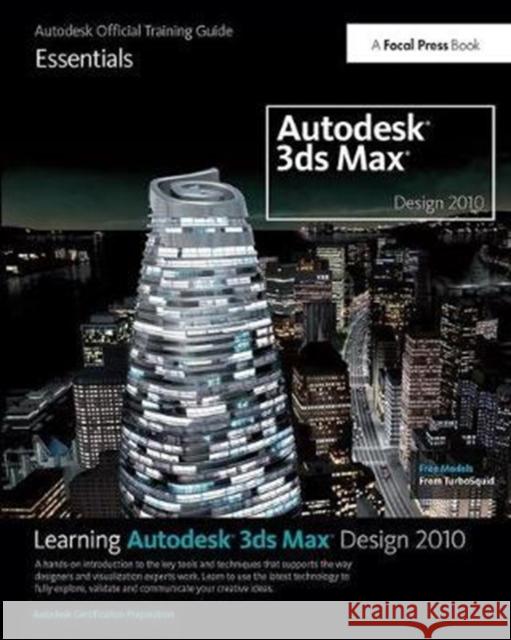
Learning Autodesk 3ds Max Design 2010: Essentials: The Official Autodesk 3ds Max Training Guide

ISBN-13: 9781138400771 / Angielski / Twarda / 2017 / 642 str.
Autodesk
Learning Autodesk 3ds Max Design 2010: Essentials: The Official Autodesk 3ds Max Training Guide Autodesk 9781138400771 Focal Press - książkaWidoczna okładka, to zdjęcie poglądowe, a rzeczywista szata graficzna może różnić się od prezentowanej.

Learning Autodesk 3ds Max Design 2010: Essentials: The Official Autodesk 3ds Max Training Guide

ISBN-13: 9781138400771 / Angielski / Twarda / 2017 / 642 str.

Autodesk
cena 876,20
(netto: 834,48 VAT:  5%)

Najniższa cena z 30 dni: 869,02
Termin realizacji zamówienia:
ok. 22 dni roboczych.

Darmowa dostawa!

Offers information on the features and options of Autodesk 3ds Max Design. This title helps you learn about lighting a 3D scene in 3ds Max Design and explore the application of various lighting techniques. It lets you discover techniques for a professional design workflow, including how to organize your scenes and objects and 3D workspace.


Kategorie:
Informatyka, Grafika komputerowa
Kategorie BISAC:
Computers > Software Development & Engineering - Computer Graphics
Art > Digital
Computers > Programming - Games
Wydawca:
Focal Press
Język:
Angielski
ISBN-13:
9781138400771
Rok wydania:
2017
Dostępne języki:
Ilość stron:
642
Waga:
1.17 kg
Oprawa:
Twarda

3ds Max XXXX: presently under NDA.

Autodesk 3ds Max Essentials - FULLY UPDATED FOR LATEST VERSION + ALL NEW BONUS SECTION ON MAXSCRIPT

Introduction - Understanding Autodesk 3ds Max

Chapter 1 - Getting Started
The Getting Started chapter contains a functional overview of the essential tools and principles of 3ds Max.

Lesson 1: The User Interface
Lesson 2: lab (title tbd)
Lesson 3: Files and Objects
Lesson 4: Transform Tools
Lesson 5: Modifiers
**REFERENCE SECTION ADDED


Chapter 2 - Modeling
The Modeling chapter covers low polygon modeling techniques, with a thorough explanation of what lies at the sub-object level. Other techniques include spline modeling. Perform spline modeling by taking 2D elements and turning them into 3D volumes, with the help of modifiers and compound objects. Also included is a lab that illustrates several polygon modeling techniques to build an underwater scene.

Lesson 6: Low-Poly Modeling
Lesson 7: Shapes
Lesson 8: Using Compound Objects
Lesson 9: Modeling Lab
**REFERENCE SECTION ADDED

Chapter 3 - Animation
The Modeling chapter covers some basic animation techniques and terminology, as well as hierarchies and relationships between objects. One lesson is dedicated to the use of Biped, a character animation tool. The Biped tool automates the creation of a skeleton that goes inside the body of the character you want to animate. In the animation lab at the end of the chapter, you'll animate various pieces of a chess board.

Lesson 10: Animation Basics
Lesson 11: Hierarchies
Lesson 12: Character Animation: Biped
Lesson 13: Animation Lab
**REFERENCE SECTION ADDED

Chapter 4 - Materials and Mapping
The Materials and Mapping chapter covers the Material Editor and the creation of simple and moderately complex materials. The first lesson covers basic Material Editor manipulation and its user interface. The second lesson covers the use of maps and their importance in a material definition. The third chapter takes the level of difficulty to the next level by discussing mapping coordinates and mapping types. Lastly, a lab illustrates how to create and apply materials to the underwater scene you created in the modeling lab.

Lesson 14: Materials
Lesson 15: Using Maps
Lesson 16: Mapping Coordinates
Lesson 17: Materials and Mapping Lab
**REFERENCE SECTION ADDED

Chapter 5 - Rendering
The Rendering chapter discusses the use of lights, cameras and rendering output techniques. This includes basic theory of camera shots and motion, basic lighting techniques, global illumination engines, and batch rendering. The final Scene Assembly Lab in this chapter is a Full Day Scenario and is meant to be the last completed. You can follow the provided pointers or experiment with your own ideas. When you've covered the chapters and the last lab, then you're ready for the world of 3D animation.

Lesson 18: Cameras
Lesson 19: Basic Lighting
Lesson 20: mental ray
Lesson 21: Rendering the Scene
Lesson 22: Scene Assembly Lab
**REFERENCE SECTION ADDED

BONUS - Introduction to MaxScript
The Introduction to MaxScript chapter will cover techniques for automating repetitive tasks using the MaxScript scripting language. In addition, you'll learn how MaxScript can be used to customize 3ds Max to make you more productive.
Lesson 23: Introduction to MaxScript
Lesson 24: MaxScript Basics
Lesson 25: Constructing the User Interface
Lesson 26: The 3ds Max Interface
Lesson 27: Understanding Objects and Classes
Lesson 28: Transforms and Animation
Lesson 29: Working with MaxScript Objects
Lesson 30: File Handling, and Working with Directories
**REFERENCE SECTION

Accompanying DVD will include the following:
- Project Scene & support files
- Free models & texture maps from Turbo Squid (tbc)
- Industry expert interviews with contributors (tbc)
**NEW!! HIGH VALUE: Autodesk product Sketchbook Pro (for character development) valued at $199.99 US.

Autodesk's Media and Entertainment division produces award-winning software tools designed for digital media creation, management and delivery across all disciplines: from film and television visual effects, color grading and editing to animation, game development, web/interactive, and design visualization. Autodesk Media and Entertainment is based in Montreal, Quebec, Canada.


Udostępnij

Facebook - konto krainaksiazek.pl


Opinie o Krainaksiazek.pl na Opineo.pl

Partner Mybenefit

Krainaksiazek.pl w programie rzetelna firma Krainaksiaze.pl - płatności przez paypal

Czytaj nas na:

Facebook - krainaksiazek.pl
  • książki na zamówienie
  • granty
  • książka na prezent
  • kontakt
  • pomoc
  • opinie
  • regulamin
  • polityka prywatności

Zobacz:

  • Księgarnia czeska

  • Wydawnictwo Książkowe Klimaty

1997-2026 DolnySlask.com Agencja Internetowa

© 1997-2022 krainaksiazek.pl
     
KONTAKT | REGULAMIN | POLITYKA PRYWATNOŚCI | USTAWIENIA PRYWATNOŚCI
Zobacz: Księgarnia Czeska | Wydawnictwo Książkowe Klimaty | Mapa strony | Lista autorów
KrainaKsiazek.PL - Księgarnia Internetowa

Polityka prywatnosci - link
Krainaksiazek.pl - płatnośc Przelewy24
Przechowalnia Przechowalnia






