• Wyszukiwanie zaawansowane
  • Kategorie
  • Kategorie BISAC
  • Książki na zamówienie
  • Promocje
  • Granty
  • Książka na prezent
  • Opinie
  • Pomoc
  • Załóż konto
  • Zaloguj się

Java Game Development with LibGDX: From Beginner to Professional » książka


zaloguj się | załóż konto
Logo Krainaksiazek.pl

koszyk

konto

szukaj
topmenu
Księgarnia internetowa
Szukaj
Książki na zamówienie
Promocje
Granty
Książka na prezent
Moje konto
Pomoc
 
 
Wyszukiwanie zaawansowane
Pusty koszyk
Bezpłatna dostawa dla zamówień powyżej 20 złBezpłatna dostawa dla zamówień powyżej 20 zł

Kategorie główne

• Nauka
 [2939893]
• Literatura piękna
 [1808953]

  więcej...
• Turystyka
 [70366]
• Informatyka
 [150555]
• Komiksy
 [35137]
• Encyklopedie
 [23160]
• Dziecięca
 [608786]
• Hobby
 [136447]
• AudioBooki
 [1631]
• Literatura faktu
 [225099]
• Muzyka CD
 [360]
• Słowniki
 [2914]
• Inne
 [442115]
• Kalendarze
 [1068]
• Podręczniki
 [166599]
• Poradniki
 [468390]
• Religia
 [506548]
• Czasopisma
 [506]
• Sport
 [61109]
• Sztuka
 [241608]
• CD, DVD, Video
 [3308]
• Technologie
 [218981]
• Zdrowie
 [98614]
• Książkowe Klimaty
 [124]
• Zabawki
 [2174]
• Puzzle, gry
 [3275]
• Literatura w języku ukraińskim
 [260]
• Art. papiernicze i szkolne
 [7376]
Kategorie szczegółowe BISAC

Java Game Development with LibGDX: From Beginner to Professional

ISBN-13: 9781484233238 / Angielski / Miękka / 2018 / 433 str.
Lee Stemkoski
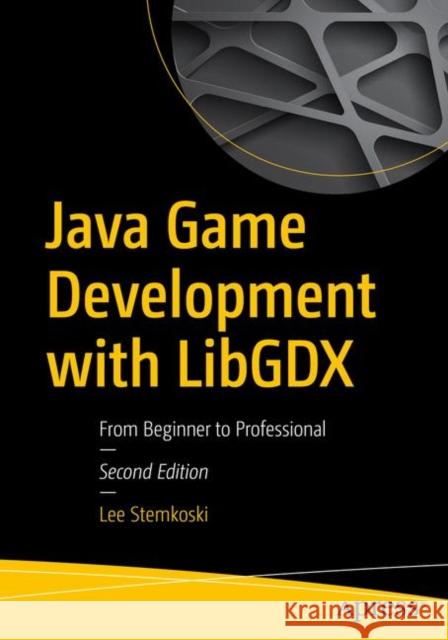
Java Game Development with LibGDX: From Beginner to Professional Lee Stemkoski 9781484233238 APress - książkaWidoczna okładka, to zdjęcie poglądowe, a rzeczywista szata graficzna może różnić się od prezentowanej.

Java Game Development with LibGDX: From Beginner to Professional

ISBN-13: 9781484233238 / Angielski / Miękka / 2018 / 433 str.

Lee Stemkoski
cena 301,18
(netto: 286,84 VAT:  5%)

Najniższa cena z 30 dni: 289,13
Termin realizacji zamówienia:
ok. 22 dni roboczych.

Darmowa dostawa!
Kategorie:
Informatyka, Bazy danych
Kategorie BISAC:
Computers > Programming - Games
Computers > Languages - Java
Wydawca:
APress
Język:
Angielski
ISBN-13:
9781484233238
Rok wydania:
2018
Ilość stron:
433
Waga:
0.78 kg
Wymiary:
25.4 x 17.78 x 2.34
Oprawa:
Miękka
Wolumenów:
01
Dodatkowe informacje:
Wydanie ilustrowane

"This second edition is a good introduction to game programming using LibGDX. ... the book presents 12 video games for which source code can be downloaded from the publisher's website. ... this book is highly recommended for game developers who want to start using LibGDX in their projects." (Hector Antonio Villa-Martinez, Computing Reviews, April 19, 2019)

Part I: Fundamental Concepts 

The first part of the book explains basic material that will be needed throughout the rest of the book: rendering graphics and animations, processing user input (continuous and discrete), basic physics (movement and collision detection), displaying text, and playing audio (sound effects and background music).

1. Getting started with Java and LibGDX

This chapter explains how to set up a Java development environment (BlueJ), which is chosen for simplicity and user-friendliness. The standard first program (which prints “Hello, World!” to the text console) is given. Next, instructions for setting up the LibGDX library are given, and a visual “Hello, World!” program is demonstrated (which displays an image of the world in a window). Finally, the benefits of using LibGDX for game development are explained in some detail. 

1.1 Choosing a deve
lopment environment
1.2 Setting up BlueJ 
1.3 A “Hello World” program
1.4 Advantages to using LibGDX 

2. The LibGDX Framework

This chapter presents the minimal code needed to create a basic game: rendering textures, detecting user input, and collision detection. The game Starfish Collector is introduced, which will be a recurring example throughout the book: features will be added on when introducing new topics (in chapters 3, 5, 6, 10, and 13).

2.1 Understanding the Life Cycle of a Game
2.2 Managing the Action (actors and stages, screens and games)
2.3 The Basics: Graphics, User Input, and Collisions
2.4 Game Project: Starfish Collector
3. Extending the Framework

The LibGDX framework simplifies many elementary tasks required in game development, while providing users a variety of ways to ex
tend their framework to facilitate creation of different types of games. This chapter creates a series of classes (BaseActor, BaseScreen, BaseGame) which extend core LibGDX classes, which will streamline the games created in the following chapters. The new classes are used in refactoring the Starfish Collector game from the previous chapter.

3.1 Extending the Actor class
3.2 Animations 
3.2.1 Value-based Animations
3.2.2 Image-based Animations
3.3 Physics and Movement
3.4 Polygons and Collisions
3.5 Lists of Actors

4. Shoot-em-up games

To demonstrate the convenience and flexibility of the extended classes created in the previous chapter, this chapter uses the new base classes to create a game called Space Rocks, inspired by the classic arcade game Asteroids. New concepts introduced in this chapter include a new style of movement (relative
to the character perspective, rather than the player perspective), spawning new objects, attaching objects to other objects, and adversaries that target the main character.

4.1 Game Project: Space Rocks
4.2 Spaceship Setup
4.3 Lasers, Rocks, and Explosions
4.4 Endgame Conditions
4.5 Extra Features: Shields and Enemies

5. Text and User Interfaces

This chapter introduces classes that are used to generate image-based fonts and display text using labels, enabling the developer to show the player important game related information (such as score, time left, health points, item counts) and menus containing instructions. The creation of buttons (to change screens or start/pause/quit the game) is also explained. Tables are introduced to automatically manage the layout of these elements. The creation of signpost-like objects is discussed, which can serve as an in-game tutorial or
to provide hints or guidance to the player. These concepts are illustrated by adding features to the previously created game Starfish Collector. The dialog boxes created in this chapter are then used as the basis for creating cutscenes and creating a visual-novel style game.

5.1 Bitmap Fonts and Labels
5.2 Buttons
5.3 Organizing Layouts with Tables
5.4 Creating a Dialog Box class
5.5 Guiding the Player with Signs
5.6 Creating Cutscenes
5.7 Game Project: Visual Novel

6. Audio

This chapter explains how to load and play audio files for sound effects and background music, demonstrating by incorporating the sounds into the game Starfish Collector. The chapter goes on to demonstrate how to create a rhythm game, in which the player taps a set of keys in synchronization with background music. The first part of this project involves creating a class that
enables the developer to record the timing of a sequence of key presses in a text file; the second part details creating the game itself, which uses the text file data and animates a series of visual cues corresponding to the keys that should be pressed.

6.1 Sounds and Music
6.2 Game Project: Rhythm Tapper
6.3 Recording Beat Data with Text Files
6.4 Synchronizing the Music and the Action 

Part II: Intermediate Examples

Now that the reader has a solid foundation in the fundamental concepts and classes needed to create a game, the next part consists of a variety of game projects, each with different mechanics. The chapters in this part are independent of each other may be read in any order, except for chapters 11 and 12 (platform and adventure games), which rely on tilemaps, introduced in chapter 10.

7. Side-Scrolling Games

In this chapter, the reader creates an infinite side-scrolling game called Plane Dodger, inspired by the smartphone game Flappy Bird. This project is the first side-view game, and shows how to create the illusion of movement with scrolling backgrounds, explains the concept of parallax to create a sense of depth, and simulate the force gravity using the acceleration vector. Difficulty ramps are also discussed in relation to the spawn rate and speed of obstacles, as well as measuring player performance and storing high scores.

7.1 Game Project: Plane Dodger
7.2 Infinite Scrolling
7.3 Simulating Gravity
7.4 Obstacles and Collectibles

8. Bouncing and Collision Games

This chapter describes how to create the game Rectangle Destroyer, inspired by brick-breaker style games such as Breakout and Arkanoid. Particular attention is given to determining the angle at which the ball bounces off the
paddle and the bricks. Collectible items (which may have a positive or negative effect on the player) are implemented, and their relation to changing game feel and maintaining player interest, while maintaining gameplay balance, are discussed at length.

8.1 Game Project: Rectangle Destroyer
8.2 Paddles, Walls, Bricks, and Balls
8.3 Making the Ball Bounce
8.4 Power-ups and Other Items

9. Drag and Drop Games

The chapter focuses on mouse-controlled drag-and-drop style games. Two fairly different types of games are created; the common functionality required by both is encapsulated within the new DragAndDropActor class, extending the previously created BaseActor class. Visual effects (change in apparent size and drop shadows) are implemented to make the objects appear as though they are being lifted. The first game project is a jigsaw puzzle style game, which demonstrates how to associa
te draggable objects with target positions. The second game project is a solitaire-style card game, in which the targets are other draggable objects, subject to a set of conditions (the rules that state on which other cards a given card may be played).

9.1 Creating a Drag and Drop Actor Class
9.2 Game Project: Jigsaw Puzzle
9.3 Game Project: Solitaire Card Games

10. Tilemaps

This chapter introduces tilemaps and how to create them using third-party software (the Tiled map editor, freely available). For easier reuse, a TilemapActor class is developed which simplifies loading tilemap data into LibGDX projects built with the extended framework in this book. Earlier game projects with different player perspectives (one top-view, one side-view) are revisited to demonstrate how tilemaps can be incorporated to simplify level design.

11.1 Using the Tiled Map Editor
11
.2 Creating a Tilemap Actor Class
11.3 Layout for a Top-View Game (Starfish Collector)
11.4 Layout for a Side-View Game (Rectangle Destroyer)

11. Platform Games

This chapter explains how to create a platform-style game in the style of the original Super Mario Bros games. This chapter features the first actor with multiple animations (standing, walking, jumping, climbing). There are many surprisingly sophisticated elements to creating these games, such as detecting when the player is standing on the ground, determining which part of the player collides with an object (top, bottom, or side), allowing the player to be carried by moving platforms, enabling the player to jump through certain types of platforms from below, and enabling the player to climb up and down ladders. Each of these aspects will be discussed at length. 

12.1 Game Project: Jumping Jack
12.2 Walking and Jump
ing
12.3 Incorporating a Tilemap
12.4 Interactive Objects 
                      (e.g. Bricks, Springs, Keys, Doors, Spikes, Coins, Hearts, Timers, Goal)
12.5 Moving and Jump-Thru Platforms
12.6 Climbing Ladders

12. Adventure Games

This chapter explains how to create an adventure-style game in the style of the original Legend of Zelda game. Once again, the main character has multiple animations (walking in the directions north, south, east, and west). The main form of combat is swordfighting, and the placement/movement of the sword object (with respect to the player object) requires particularly careful planning. Additional new topics covered in this chapter include transitioning between different screens, and implementing an “item shop” mechanic.

13.1 Game Project: Treasure Quest
13.2 Movement
and Fighting
13.3 Incorporating a Tilemap
13.4 Interactive Objects 
                      (e.g. Bushes, Coins, Chest, Bomb, Rock)

Part III: Advanced Topics

This final part of the book contains some additional optional features that can be added to many of the previous projects, such as gamepad controller input, and special effects made with particle systems (an efficient method for creating unique, non-repeating). Some game projects involving advanced algorithms and 3D objectsare also included in this part of the book.

13. Alternative Sources of User Input

This chapter demonstrates how to add alternative control systems to games, namely, gamepad controllers and touch-screen controls. Both sections build on the Starfish Collector example.

13.1 Gamepad Controllers&
lt;
13.2 Touch-Screen Controls 

14. Procedural Content Generation 

This chapter includes a maze-based collection game, inspired by PacMan. The initial example illustrates grid-based movement and basic player-tracking enemies on a predesigned tilemap. Later examples are randomly generated, and enemy movement algorithms are improved to find the shortest path to the player using the A-Star pathfinding algorithm. Finally, random item placement (such as keys and locked doors) is discussed, with an emphasis on verifying that the resulting game can be successfully completed by the player.

14.1 Game Project: Maze Runman 
(three modes: pregenerated maze, random maze, dungeon style exploration)
14.1.1 Grid-Based Movement
14.1.2 Enemy Movement Patterns
14.2 Generating Random Mazes
14.3 A-Star Pathfinding
14.4 Generating Random Dungeons
<;14.5 Placement of Items and Obstacles (Enemy, Weapon, Key, Locked Door, Treasure, Exit)

15. Advanced Graphics

This chapter explains how to create advanced graphical effects in two different ways: particle systems, and graphics programming. Particle systems are used to simulate fire, explosions, and bursts of sparkles in the Space Rocks game. Graphics programming involves writing code (in OpenGL) that runs directly on the GPU. Examples given include image filters (grayscale, glow, and hue shift) and distortion effects (such as wave distortions). 

15.1 Particle Systems
15.1.1 Designing Special Effects with the LibGDX Particle Editor
15.1.2 Creating a Particle Actor Class

15.2 Graphics Programming
  15.2.1 The GPU and the Graphics Pipeline
15.2.2 Vertex and Fragment Shaders
15.2.3 Examples of Visual Effects

16.
Introduction to 3D

This chapter introduces the 3D graphics capabilities of LibGDX, including how to position objects in three dimensions, how to create lights, how to create geometric objects and import models, and create Actor-like and Scene-like classes to manage 3D objects. This chapter concludes with a 3D version of the Starfish Collector game featured throughout the book.

16.1 Explaining 3D Concepts and Classes
16.2 Creating a Minimal 3D Demo
16.3 Re-creating the Actor/Stage Framework
16.4 Game Project: Starfish Collector 3D

17. The Journey Continues

This final chapter consists of advice for readers that wish to progress further in the game development field.

17.1 Continuing Your Development
17.2 Broadening Your Horizons
17.3 Disseminating Your Games

Appendix 1: Game Design Documen
tation

This appendix contains a suggested series of questions to consider and an outline to follow when planning a game development project, and illustrates with two examples that document games from previous chapters.

A1.1 Guiding Questions
A1.2 Sample Document: Space Rocks
A1.3 Sample Document: Treasure Quest

Appendix 2: Summary of Java concepts needed for this book

This appendix describes the expected Java programming knowledge a reader will need to be familiar with in order to understand the concepts in this book.

A2.1 Data Types and Operators
A2.2 Control Structures
A2.3 Methods
A2.4 Objects and Classes

Appendix 3: JavaDoc for Extended Actor Classes

The appendix contains a JavaDoc-style reference for all the extension classes created in this book, for t
he convenience of the reader.

A3.1 BaseScreen Class
A3.2 BaseGame Class
A3.3 BaseActor Class
A3.4 DialogBoxActor Class
A3.5 ParticleActor Class
A3.6 DragAndDropActor Class
A3.7 TilemapActor Class 

Lee Stemkoski is a professor of computer science and mathematics. He earned his Ph.D. from Dartmouth College in 2006.  He has been teaching at the college level since then, with an emphasis on Java programming, computer graphics, and video game development for the past eight years. He has refined the set of topics covered and the progression of material in this book based on years of experience helping students overcome their difficulties with these particular topics. He has authored another game development book, Game Development with Construct 2, in addition to many scholarly articles and game development tutorials.  

Learn to design and create video games using the Java programming language and the LibGDX software library. Working through the examples in this book, you will create 12 game prototypes in a variety of popular genres, from collection-based and shoot-em-up arcade games to side-scrolling platformers and sword-fighting adventure games. With the flexibility provided by LibGDX, specialized genres such as card games, rhythm games, and visual novels are also covered in this book. 


Major updates in this edition include chapters covering advanced topics such as alternative sources of user input, procedural content generation, and advanced graphics. Appendices containing examples for game design documentation and a complete JavaDoc style listing of the extension classes developed in the book have also been added.

What You Will Learn:
  • Create 12 complete video game projects
  • Advanced Java programming concepts, includ
ing data structures, encapsulation, inheritance, and algorithms, in the context of game development
  • Gain practical experience with game design topics, including user interface design, gameplay balancing, and randomized content
  • How to integrate third-party components into projects, such as particle effects, tilemaps, and gamepad controllers


  • Udostępnij

    Facebook - konto krainaksiazek.pl


    Opinie o Krainaksiazek.pl na Opineo.pl

    Partner Mybenefit

    Krainaksiazek.pl w programie rzetelna firma Krainaksiaze.pl - płatności przez paypal

    Czytaj nas na:

    Facebook - krainaksiazek.pl
    • książki na zamówienie
    • granty
    • książka na prezent
    • kontakt
    • pomoc
    • opinie
    • regulamin
    • polityka prywatności

    Zobacz:

    • Księgarnia czeska

    • Wydawnictwo Książkowe Klimaty

    1997-2026 DolnySlask.com Agencja Internetowa

    © 1997-2022 krainaksiazek.pl
         
    KONTAKT | REGULAMIN | POLITYKA PRYWATNOŚCI | USTAWIENIA PRYWATNOŚCI
    Zobacz: Księgarnia Czeska | Wydawnictwo Książkowe Klimaty | Mapa strony | Lista autorów
    KrainaKsiazek.PL - Księgarnia Internetowa

    Polityka prywatnosci - link
    Krainaksiazek.pl - płatnośc Przelewy24
    Przechowalnia Przechowalnia






