• Wyszukiwanie zaawansowane
  • Kategorie
  • Kategorie BISAC
  • Książki na zamówienie
  • Promocje
  • Granty
  • Książka na prezent
  • Opinie
  • Pomoc
  • Załóż konto
  • Zaloguj się

Android Studio Game Development: Concepts and Design » książka


zaloguj się | załóż konto
Logo Krainaksiazek.pl

koszyk

konto

szukaj
topmenu
Księgarnia internetowa
Szukaj
Książki na zamówienie
Promocje
Granty
Książka na prezent
Moje konto
Pomoc
 
 
Wyszukiwanie zaawansowane
Pusty koszyk
Bezpłatna dostawa dla zamówień powyżej 20 złBezpłatna dostawa dla zamówień powyżej 20 zł

Kategorie główne

• Nauka
 [2948695]
• Literatura piękna
 [1824038]

  więcej...
• Turystyka
 [70868]
• Informatyka
 [151073]
• Komiksy
 [35227]
• Encyklopedie
 [23181]
• Dziecięca
 [621575]
• Hobby
 [138961]
• AudioBooki
 [1642]
• Literatura faktu
 [228651]
• Muzyka CD
 [371]
• Słowniki
 [2933]
• Inne
 [445341]
• Kalendarze
 [1243]
• Podręczniki
 [164416]
• Poradniki
 [479493]
• Religia
 [510449]
• Czasopisma
 [502]
• Sport
 [61384]
• Sztuka
 [243086]
• CD, DVD, Video
 [3417]
• Technologie
 [219673]
• Zdrowie
 [100865]
• Książkowe Klimaty
 [124]
• Zabawki
 [2168]
• Puzzle, gry
 [3372]
• Literatura w języku ukraińskim
 [260]
• Art. papiernicze i szkolne
 [7838]
Kategorie szczegółowe BISAC

Android Studio Game Development: Concepts and Design

ISBN-13: 9781484217177 / Angielski / Miękka / 2015 / 95 str.
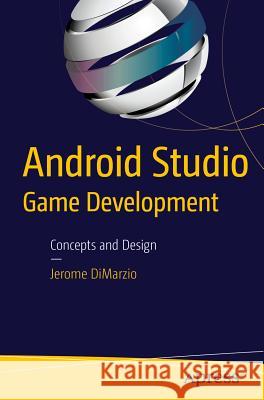
Jerome Dimarzio
Android Studio Game Development: Concepts and Design Dimarzio, Jerome 9781484217177 Apress - książkaWidoczna okładka, to zdjęcie poglądowe, a rzeczywista szata graficzna może różnić się od prezentowanej.

Android Studio Game Development: Concepts and Design

ISBN-13: 9781484217177 / Angielski / Miękka / 2015 / 95 str.

Jerome Dimarzio
cena 152,58
(netto: 145,31 VAT:  5%)

Najniższa cena z 30 dni: 146,48
Termin realizacji zamówienia:
ok. 22 dni roboczych.

Darmowa dostawa!

This short book walks you through the process of creating mobile games using the new Android Studio IDE. Android Studio Game Development introduces you to the key tools in Android Studio and gives you the knowledge you need to develop games in Android Studio.This book takes you from installing Android Studio, through exploring the IDE to creating a new project and setting up GitHub as a VCS. You'll then be well equipped to tackle the game-development topics that make up the rest of the book. You'll learn about OpenGL ES and how to deal with polygons, before mastering image loading and sprite sheets.The final three chapters cover topics vital to successful game development: interactivity. You'll gain skills in reading user input, responding to that input with in-game movement, and detecting collisions.You'll learn:

  • How to create projects in Android Studio
  • How to use the SDK manager to keep your Android SDK current
  • How to commit to and get projects from GitHub
  • How to use OpenGL ES to load images
  • How to react to player input
  • How to debug your games using Android Studio
Audience This book is for those who may be new to game development who have some experience with Android Studio IDE and Android. To learn about Android Studio, check out Learn Android Studio IDE by Gerber and Craig (Apress).

Kategorie:
Informatyka, Bazy danych
Kategorie BISAC:
Computers > Languages - General
Computers > Programming - Object Oriented
Computers > Programming - Games
Wydawca:
Apress
Język:
Angielski
ISBN-13:
9781484217177
Rok wydania:
2015
Ilość stron:
95
Waga:
1.82 kg
Wymiary:
23.5 x 15.5
Oprawa:
Miękka
Wolumenów:
01
Dodatkowe informacje:
Wydanie ilustrowane

"Android Studio game development, a self-described mini-book of 95 pages (excluding the front matter), is a recent arrival to the scene. ... The book teaches how to load images, and very briefly how to respond to user input and the basics of collision detection. ... this mini-book can only be recommended to programmers with some previous experience in game development, maybe not in Android, and who know nothing about OpenGL ES." (Hector Antonio Villa-Martinez, Computing Reviews, March, 2017)

● Chapter 1 Installing Android Studio
o This chapter walks the reader through downloading Android Studio, setting up their Java Path if needed, and setting up the Android SDK.  The reader will get to see step by step what options to set when installing and configuring Android Studio for the first time, and they will be introduced to Android Studio’s Tip of the Day.
● Chapter 2 Exploring the IDE
o Chapter 2 takes the reader on a tour of the IDE.  The reader will learn what the different windows and views that make up Android Studio represent, and how to effectively use them when developing code.  
● Chapter 3 Creating a new project
o In this chapter, the reader creates a new project from scratch using Android Studio.  This project will be used throughout the remainder of the book.  
● Chapter 4 Setting up Git hub as your VCS
o In Chapter 4, the reader learns how to set up Git hub as their versioning control system (VCS).  The chapter will lay out for the reader, step by step, how to create a Git hub login, and then use that information to set up Android Studio’s VCS.  Once Git hub is set up, the reader will commit and download code.
● Chapter 5 Intro to Game Development
o Chapter 5 walks the reader through the basic theory of game development, focusing mainly on what is a game loop and how to construct one.  The reader builds their first game loop in this chapter and will add to it as the book progresses.
● Chapter 6 OpenGL ES and Polygons 
o The reader learns how use OpenGL ES to create polygons in Chapter 6.  Polygons are the base for all in game objects, and understanding how polygons are constructed and displayed to the screen is essential to create a game.
● Chapter 7 Loading images and sprite sheets
o In Chapter 7 the reader learns how to easily load images to the screen with OpenGL ES and polygons using textures.  Building on Chapter 6, this chapter teaches the reader how to map images onto polygons to display them in the game.  At the end of the chapter that reader using this knowledge to cycle through images in a sprite sheet.
● Chapter 8 Reading user input
o In Chapter 8, the reader learns how to read user input and interpret in their game.  Android phones come with several sensors that can be used to control a game, namely the touch screen and the gyroscopic sensors.  This chapter teaches how to read information from these sensors. 
● Chapter 9 In-game movement
o This chapter, building on Chapters 7 and 8, teaches the reader how to use information that is read from the input sensors, and sprite sheets, to move in game items on the screen.  The reader also learns how to detect boundaries to keep in game items on the screen.
● Chapter 10 Collision detection
o In the final chapter of this book, the reader learns how to use collision detection to destroy in game items and close their game loop.  

J. F. DiMarzio is a seasoned Android developer and author. He began developing games in Basic on the TRS-80 Color Computer II in 1984. Since then, he has worked in the technology departments of companies such as the U.S. Department of Defense and the Walt Disney Company. He has been developing on the Android platform since the beta release of version .03, and he has published two professional applications and one game on the Android Marketplace. DiMarzio is also an accomplished author. Over the last 14 years, he has released 12 books, including Android: A Programmer’s Guide. His books have been translated into five languages and published worldwide. DiMarzio’s writing style is very easy to read and understand, which makes the information in the topics that he presents more retainable.

This one of a kind short book walks any Android developer through the process of creating mobile games using the new Android Studio IDE. 

What You’ll Learn
  • How to create projects in Android Studio
  • How to use the SDK manager to keep your Android SDK current
  • How to commit and get projects to and from Git hub
  • How to use OpenGL ES to load images
  • How to react to player input
  • How to debug your games using Android Studio

Dimarzio, Jerome J. F. DiMarzio is a seasoned Android developer and... więcej >


Udostępnij

Facebook - konto krainaksiazek.pl


Opinie o Krainaksiazek.pl na Opineo.pl

Partner Mybenefit

Krainaksiazek.pl w programie rzetelna firma Krainaksiaze.pl - płatności przez paypal

Czytaj nas na:

Facebook - krainaksiazek.pl
  • książki na zamówienie
  • granty
  • książka na prezent
  • kontakt
  • pomoc
  • opinie
  • regulamin
  • polityka prywatności

Zobacz:

  • Księgarnia czeska

  • Wydawnictwo Książkowe Klimaty

1997-2026 DolnySlask.com Agencja Internetowa

© 1997-2022 krainaksiazek.pl
     
KONTAKT | REGULAMIN | POLITYKA PRYWATNOŚCI | USTAWIENIA PRYWATNOŚCI
Zobacz: Księgarnia Czeska | Wydawnictwo Książkowe Klimaty | Mapa strony | Lista autorów
KrainaKsiazek.PL - Księgarnia Internetowa

Polityka prywatnosci - link
Krainaksiazek.pl - płatnośc Przelewy24
Przechowalnia Przechowalnia





