• Wyszukiwanie zaawansowane
  • Kategorie
  • Kategorie BISAC
  • Książki na zamówienie
  • Promocje
  • Granty
  • Książka na prezent
  • Opinie
  • Pomoc
  • Załóż konto
  • Zaloguj się

User Manual for the Interactive Geometry Software Cinderella » książka

zaloguj się | załóż konto
Logo Krainaksiazek.pl

koszyk

konto

szukaj
topmenu
Księgarnia internetowa
Szukaj
Książki na zamówienie
Promocje
Granty
Książka na prezent
Moje konto
Pomoc
 
 
Wyszukiwanie zaawansowane
Pusty koszyk
Bezpłatna dostawa dla zamówień powyżej 20 złBezpłatna dostawa dla zamówień powyżej 20 zł

Kategorie główne

• Nauka
 [2946600]
• Literatura piękna
 [1856966]

  więcej...
• Turystyka
 [72221]
• Informatyka
 [151456]
• Komiksy
 [35826]
• Encyklopedie
 [23190]
• Dziecięca
 [619653]
• Hobby
 [140543]
• AudioBooki
 [1577]
• Literatura faktu
 [228355]
• Muzyka CD
 [410]
• Słowniki
 [2874]
• Inne
 [445822]
• Kalendarze
 [1744]
• Podręczniki
 [167141]
• Poradniki
 [482898]
• Religia
 [510455]
• Czasopisma
 [526]
• Sport
 [61590]
• Sztuka
 [243598]
• CD, DVD, Video
 [3423]
• Technologie
 [219201]
• Zdrowie
 [101638]
• Książkowe Klimaty
 [124]
• Zabawki
 [2473]
• Puzzle, gry
 [3898]
• Literatura w języku ukraińskim
 [254]
• Art. papiernicze i szkolne
 [8170]
Kategorie szczegółowe BISAC

User Manual for the Interactive Geometry Software Cinderella

ISBN-13: 9783540671398 / Angielski / Miękka / 2000 / 143 str.
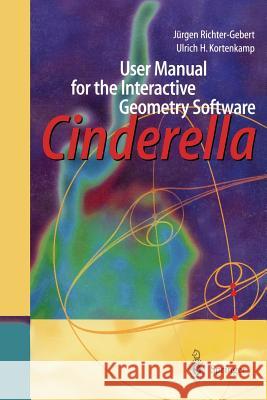
Jurgen Richter-Gebert; J. Richter-Gebert; U. H. Kortenkamp
User Manual for the Interactive Geometry Software Cinderella Jurgen Richter-Gebert J. Richter-Gebert U. H. Kortenkamp 9783540671398 Springer - książkaWidoczna okładka, to zdjęcie poglądowe, a rzeczywista szata graficzna może różnić się od prezentowanej.

User Manual for the Interactive Geometry Software Cinderella

ISBN-13: 9783540671398 / Angielski / Miękka / 2000 / 143 str.

Jurgen Richter-Gebert; J. Richter-Gebert; U. H. Kortenkamp
cena 201,72 zł
(netto: 192,11 VAT:  5%)

Najniższa cena z 30 dni: 192,74 zł
Termin realizacji zamówienia:
ok. 22 dni roboczych
Bez gwarancji dostawy przed świętami

Darmowa dostawa!

Cinderella is a unique, technically very sophisticated teachware for geometry. It will be used as a tool by students learning Euclidean, projective, spherical and hyperbolic geometry, as well as in geometric research by scientists. Moreover, it can also serve as an authors' tool to design web pages with interactive constructions or even complete geometry exercises.


Kategorie:
Nauka, Matematyka
Kategorie BISAC:
Gardening > General
Mathematics > Geometria
Computers > Business & Productivity Software - Word Processing
Wydawca:
Springer
Język:
Angielski
ISBN-13:
9783540671398
Rok wydania:
2000
Wydanie:
Softcover Repri
Ilość stron:
143
Waga:
0.23 kg
Wymiary:
23.39 x 15.6 x 0.84
Oprawa:
Miękka
Wolumenów:
01
Dodatkowe informacje:
Glosariusz/słownik
Wydanie ilustrowane

2 Introduction.- 2.1 Sample Applications.- 2.1.1 Exact Drawings.- 2.1.2 Geometric Calculator.- 2.1.3 Student Exercises.- 2.2 Design and Features.- 2.3 Technical Background.- 3 A Quick Start.- 3.1 Pappos’ Theorem.- 3.1.1 Drawing Your First Point.- 3.1.2 Undoing an Operation.- 3.1.3 Moving a Point.- 3.1.4 Adding a Line..- 3.1.5 Adding More Lines.- 3.1.6 Creating Points of Intersection.- 3.1.7 Finishing the Drawing.- 3.1.8 Selecting and Changing the Appearance.- 3.1.9 Adding a Final Point and Proving a Theorem.- 3.1.10 Moving Points to Infinity.- 3.2 A Three Bar Linkage.- 3.2.1 Making a Bar.- 3.2.2 Adding Two More Bars.- 3.2.3 Moving the Construction.- 3.2.4 Starting an Animation.- 3.2.5 Drawing a Locus.- 4 Behind the Scenes.- 4.1 Problems in Interactive Geometry.- 4.1.1 Static Problems.- 4.1.2 Dynamic Problems.- 4.2 Projective Geometry.- 4.3 Homogeneous Coordinates.- 4.4 Complex Numbers.- 4.5 Measurements and Complex Numbers.- 4.5.1 Euclidean and Non-euclidean Geometry.- 4.5.2 Cayley-Klein Geometries.- 4.6 The Principle of Continuity.- 5 Reference.- 5.1 Overview.- 5.1.1 The Menu.- 5.1.2 The General Action Toolbar.- 5.1.3 The Geometric Tools.- 5.1.4 The Geometries.- 5.1.5 The Views.- 5.2 General Tools.- 5.2.1 File Operations.- 5.2.1.1 LA New.- 5.2.1.2 Load.- 5.2.1.3 Save.- 5.2.1.4 Save As.- 5.2.2 Export Tools.- 5.2.2.1 Al Print All Views.- 5.2.2.2 Export to HTML.- 5.2.2.3 Create an Exercise.- 5.2.3 Undo/Redo.- 5.2.3.1 Undo.- 5.2.3.2 Redo.- 5.2.3.3 Delete.- 5.2.4 Selection Tools.- 5.2.4.1 Select All.- 5.2.4.2 Select Points.- 5.2.4.3 Select Lines.- 5.2.4.4 Select Conics.- 5.2.4.5 Deselect.- 5.2.5 Moving an Element.- 5.2.6 Select.- 5.2.7 Interactive Modes.- 5.2.7.1 Add a Point.- 5.2.7.2 Add a Line.- 5.2.7.3 Line Through Point.- 5.2.7.4 Add a Parallel.- 5.2.7.5 Add a Perpendicular.- 5.2.7.6 Add a Line With Fixed Angle.- 5.2.7.7 Add a Circle.- 5.2.7.8 Circle by Radius.- 5.2.7.9 Circle by Fixed Radius.- 5.2.7.10 Midpoint.- 5.2.8 Definition Modes.- 5.2.8.1 Center.- 5.2.8.2 Angular Bisector.- 5.2.8.3 Compass.- 5.2.8.4 Mirror.- 5.2.8.5 Circle by Three Points.- 5.2.8.6 Conic by Five Points.- 5.2.8.7 Polar of a Point.- 5.2.8.8 Polar of a Line.- 5.2.8.9 Polygon.- 5.2.8.10 Join.- 5.2.8.11 Meet.- 5.2.8.12 Define a Parallel.- 5.2.8.13 Define a Perpendicular.- 5.2.9 Measurements.- 5.2.9.1 Distance.- 5.2.9.2 Angle.- 5.2.9.3 Area.- 5.2.10 Special Modes.- 5.2.10.1 Add Text.- 5.2.10.2 Locus.- 5.2.10.3 Animation.- 5.2.10.4 Add a Segment.- 5.3 Geometries.- 5.3.1 Types of Geometries.- 5.3.2 Views and Geometries.- 5.4 The Views.- 5.4.1 Euclidean View.- 5.4.1.1 Translate.- 5.4.1.2 Zoom in.- 5.4.1.3 Zoom out.- 5.4.1.4 Toggle Grid.- 5.4.1.5 Toggle Axes.- 5.4.1.6 Toggle Snap.- 5.4.1.7 Denser Grid.- 5.4.1.8 Coarser Grid.- 5.4.2 Spherical View.- 5.4.2.1 Rotate.- 5.4.2.2 Spherical Reset.- 5.4.2.3 The Scale Slider.- 5.4.3 Hyperbolic View.- 5.4.4 Polar Euclidean and Spherical View.- 5.4.5 Construction Text.- 5.4.6 General Functions.- 5.4.6.1 Generate PostScript.- 5.4.6.2 Choose the Geometry.- 5.5 The Appearance Editor.- 5.5.1 Color.- 5.5.2 View Colors.- 5.5.3 Clipping.- 5.5.4 Labelling.- 5.5.5 Pinning.- 5.5.6 Overhang.- 5.5.7 Size.- 5.5.8 Opaqueness.- 6 Creating Interactive Webpages and Exercises.- 6.1 Glossary.- 6.2 Exporting Plain Examples.- 6.3 Exporting Animations.- 6.4 Creating Interactive Exercises.- 6.4.1 Exercise Construction.- 6.4.2 Editing the Exercise.- 6.4.2.1 Defining the Input.- 6.4.2.2 Defining Solutions.- 6.4.2.3 Defining Hints.- 6.4.2.4 Tool Selection.- 6.4.3 Saving and Creating the HTML.- 6.4.4 Testing the Exercise.- 6.4.5 Design Considerations.- 6.5 Post-Processing.- 6.6 Legal Issues.- 7 Installation.- 7.1 General Information.- 7.2 Installing on Windows 95, 98 or NT 4.0.- 7.3 Installation on Unix Platforms.- 7.3.1 Installing on Sun Solaris (SPARC)..- 7.3.2 Other Unix-like Platforms.- 7.3.3 Installing a JVM on Linux.- 7.4 Installing on MacOS.- 7.5 Installing on Other Java Platforms.- 7.6 Installing Using a Web Browser.- 7.7 Troubleshooting.- 7.8 Installing Netscape.- 8 License Agreement.- 8.1 Conditions of Use and Terms of Warranty.- 8.2 Nutzungs- und Garantiebedingungen.- 8.3 Java(tm) Runtime Environment.- 9 References.


Udostępnij

Facebook - konto krainaksiazek.pl


Opinie o Krainaksiazek.pl na Opineo.pl

Partner Mybenefit

Krainaksiazek.pl w programie rzetelna firma Krainaksiaze.pl - płatności przez paypal

Czytaj nas na:

Facebook - krainaksiazek.pl
  • książki na zamówienie
  • granty
  • książka na prezent
  • kontakt
  • pomoc
  • opinie
  • regulamin
  • polityka prywatności

Zobacz:

  • Księgarnia czeska

  • Wydawnictwo Książkowe Klimaty

1997-2025 DolnySlask.com Agencja Internetowa

© 1997-2022 krainaksiazek.pl
     
KONTAKT | REGULAMIN | POLITYKA PRYWATNOŚCI | USTAWIENIA PRYWATNOŚCI
Zobacz: Księgarnia Czeska | Wydawnictwo Książkowe Klimaty | Mapa strony | Lista autorów
KrainaKsiazek.PL - Księgarnia Internetowa

Polityka prywatnosci - link
Krainaksiazek.pl - płatnośc Przelewy24
Przechowalnia Przechowalnia






