The Protractor Handbook: Understanding and Implementing the Tool Effectively » książka





The Protractor Handbook: Understanding and Implementing the Tool Effectively
ISBN-13: 9781484272886 / Angielski / Miękka / 2021 / 186 str.
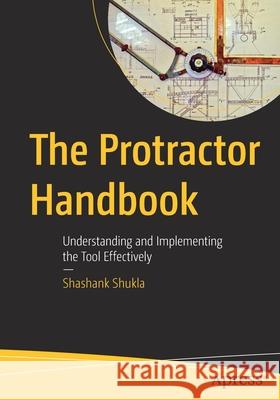
The Protractor Handbook: Understanding and Implementing the Tool Effectively
ISBN-13: 9781484272886 / Angielski / Miękka / 2021 / 186 str.
(netto: 206,21 VAT: 5%)
Najniższa cena z 30 dni: 206,13
ok. 16-18 dni roboczych.
Darmowa dostawa!
1. Getting Started
2. Installation a. Prerequisites b. Installation process c. Installation Details 3. Locators a. ID b. Class c. Name Attribute d. Tag Name e. Link Text f. Partial Link Text g. Element with certain text h. CSS Query Selector i. xPath j. JS Function k. Chain Selectors l. React Selectors m. Custom Selectors 4. Browser APIs a. Get count of elements returned from an Array of element b. Get First element returned from an Array of element c. Get Text of an element d. Get any element returned from an Array of elements e. Get Last element returned from an Array of elements f. 'Then' function g. Iterate all elements h. Getting all links of a page i. Map function j. Reduce function k. Returns the most relevant locator of an element l. Scroll an element Into View m. Click on an element n. Double Click on an element o. Right click on an element p. Send text to an Input field q. Send text to an Input field via addValue r. Send Keyboard keys to an element s. Get Value of an element t. Clear the text inside an Input field u. Hover Mouse on an element v. Navigating to new URL in a browser w. Navigating Back in a browser x. Navigating Forward in a browser y. Refreshing a web-page z. Restarting a browser aa. Getting & Setting Window Size & position bb. Getting Element Size cc. Maximizing the Browser dd. Minimizing the Browser ee. Browser fullscreen mode ff. Open a new Window gg. Get the URL of the current page hh. Get the Title of the current page ii. Send JavaScript to do a task Vanilla JSCode jj. Send JavaScript to do a task Handeling Datepicker kk. Send JavaScript to do a task Clicking ll. Send JavaScript to do a task Detecting Broken image mm. Taking Full page Screenshot nn. Switching Between Windows oo. Switching between Frames pp. Closing the page qq. Closing the browser rr. Alerts Accepting an Alert ss. Alerts Dismissing an Alert tt. Alerts Reading message of an Alert uu. Alerts Sending message to an Alert vv. Selecting from a Dropdown ww. Drag and Drop xx. Uploading a file yy. Submitting a form zz. Display Cookies aaa. delete Cookies bbb.Set Cookies ccc. Basic authentication ddd.GeoLocations5. Element APIs
a. Is the element Present? isExisting
b. Is the element Present? toExist
c. Is the element Present? ToBePresent
d. Is the element Present in DOM? ToBeExisting
e. Is the element Present inside another element?
f. Is the element Enabled? IsEnabled
g. Is the element Enabled? ToBeEnabled
h. Is the element Disabled? ToBeEnabled
i. Is the element Visible? IsDisplayed
j. Is the element Visible? ToBeDisplayed
k. Is the element Visible? toBeVisible
l. Is the element Visible on the screen? toBeDisplayedInViewport
m. Is the element Visible on the screen? toBeVisibleInViewport
n. Is the element Selected? isSelected
o. Is the element Selected? ToBeSelected
p. Is the element Selected? ToBeChecked
q. Is the element Clickable? isClickable
r. Is the element Clickable? toBeClickable
6. Some Additional Protractor IO Methods
a. Is the element Focused? isFocused
b. Is the element Focused? toBeFocused
c. Does the element have a specific Attribute? toHaveAttribute
d. Does the element have a specific Attribute? toHaveAttr
e. Does element contains a specific text Attribute? toHaveAttributeContaining
f. Does the element have a specific Class? toHaveClass
g. Does element contains specific text in Class? toHaveClassContaining
h. Does the element have a specific Property? toHaveProperty
i. Does the element have a specific Value? toHaveValue
j. Does the element have a specific Href? toHaveHref
k. Does element contains specific text in Href? toHaveHrefContaining
l. Does the element have specific Link? toHaveLink
m. Does element contains specific text in Link? toHaveLinkContaining
n. Does the element have a specific text toHaveText
o. Does element contains a specific text?
p. Does the element have specific ID?
q. Count of Element
7. Waits
a. Wait until
b. Hard Sleep
c. Wait for element to be Clickable
d. Wait for element to be Displayed
e. Wait for element to be Enabled
f. Wait for element to Exist
g. Chapter 8: Other APIs
h. Dealing with shadow DOM
i. Getting the page source
j. Getting active element
k. Getting the Property of element
l. Getting the CSS Property of element
m. Getting the Tag Name of the element
n. Getting the Location of an element
o. Getting Size of the element
p. Getting the HTML build of the element
q. Debug
8. Jasmine Assertions
a. To verify if strings match by value
b. To verify if strings match by value & type
c. To verify if a value is Truthy
d. To verify if a value is Falsy
e. To verify if a value is equal(==)
f. To verify if a value & type both are equal(===)
g. To verify if a value is not equal(==)
h. To verify if a value & type are not equal(==)
i. To verify if a value is above
j. To verify if a value is below
k. To verify if a Expected is True
l. To verify if a Expected is false m. To verify if a Expected is an array n. To verify if a Expected is a String o. To verify if Array contains a value p. To verify length of an Array 9. Timeouts a. Setting & Getting various Timeout b. Session Script Timeout c. Session Page Load Timeout d. Session Implicit Wait Timeout e. WaitForTimeout Protractor related timeouts f. Framework related timeouts 10. Parallel Execution a. Framework Options b. Protractor with Mocha c. Protractor with Jasmine d. Protractor with Cucumber e. Protractor with Mocha & TypeScript 11. Conclusion a. Advantages b. Disadvantages c. Challenges
Shashank Shukla has been working in software testing for over a decade and is passionate about tools and technology that can be leveraged to enrich the testing experience and optimize the quality of delivery. This is his second Apress book.
Learn to quickly set up Protractor and dive into the amazing possibilities that this tool offers for automating browser interactions for a user for any Angular web application. Software testing is here to stay, and an integral part of this is test automation. Protractor is one of the most evolved test automation frameworks that every software testing professional working with an Angular application should know.
You will to automate a vast range of actions that a user takes to interact with the browser. From a simple ‘click’ to more complex user actions such as frame switches, selecting from drop-downs, and file downloads using Protractor APIs for Angular-based websites. You will also learn about assertions, timeouts, waits, parallel testing frameworks that are available, and the general pros and cons you should be aware of.
With over 150 working code samples demonstrating various test scenarios that you require in your day-to-day automation testing, and examples that may be given in interviews, this book will be your practical handbook to all the key Protractor API implementations.
You will:
- Set up and install Protractor efficiently
- Implement Angular-specific locator strategies
- Automate Angular web pages
- Run parallel execution using Protractor
- Explore all the pros, cons and challenges you may face while using Protractor
- Use specific notes around each API to ensure optimum usage and avoid common mistakes




Czytaj nas na:
1997-2026 DolnySlask.com Agencja Internetowa
KrainaKsiazek.PL - Księgarnia Internetowa


