• Wyszukiwanie zaawansowane
  • Kategorie
  • Kategorie BISAC
  • Książki na zamówienie
  • Promocje
  • Granty
  • Książka na prezent
  • Opinie
  • Pomoc
  • Załóż konto
  • Zaloguj się

The Data Wrangler's Handbook: Simple Tools for Powerful Results » książka


zaloguj się | załóż konto
Logo Krainaksiazek.pl

koszyk

konto

szukaj
topmenu
Księgarnia internetowa
Szukaj
Książki na zamówienie
Promocje
Granty
Książka na prezent
Moje konto
Pomoc
 
 
Wyszukiwanie zaawansowane
Pusty koszyk
Bezpłatna dostawa dla zamówień powyżej 20 złBezpłatna dostawa dla zamówień powyżej 20 zł

Kategorie główne

• Nauka
 [2944077]
• Literatura piękna
 [1814251]

  więcej...
• Turystyka
 [70679]
• Informatyka
 [151074]
• Komiksy
 [35590]
• Encyklopedie
 [23169]
• Dziecięca
 [611005]
• Hobby
 [136031]
• AudioBooki
 [1718]
• Literatura faktu
 [225599]
• Muzyka CD
 [379]
• Słowniki
 [2916]
• Inne
 [443741]
• Kalendarze
 [1187]
• Podręczniki
 [166463]
• Poradniki
 [469211]
• Religia
 [506887]
• Czasopisma
 [481]
• Sport
 [61343]
• Sztuka
 [242115]
• CD, DVD, Video
 [3348]
• Technologie
 [219293]
• Zdrowie
 [98602]
• Książkowe Klimaty
 [124]
• Zabawki
 [2385]
• Puzzle, gry
 [3504]
• Literatura w języku ukraińskim
 [260]
• Art. papiernicze i szkolne
 [7151]
Kategorie szczegółowe BISAC

The Data Wrangler's Handbook: Simple Tools for Powerful Results

ISBN-13: 9780838919095 / Angielski / Miękka / 2019 / 176 str.
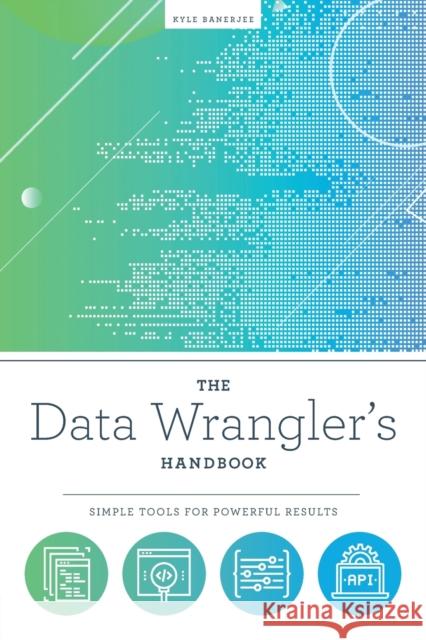
Kyle Banerjee
The Data Wrangler's Handbook: Simple Tools for Powerful Results Kyle Banerjee   9780838919095 ALA Editions - książkaWidoczna okładka, to zdjęcie poglądowe, a rzeczywista szata graficzna może różnić się od prezentowanej.

The Data Wrangler's Handbook: Simple Tools for Powerful Results

ISBN-13: 9780838919095 / Angielski / Miękka / 2019 / 176 str.

Kyle Banerjee
cena 279,17
(netto: 265,88 VAT:  5%)

Najniższa cena z 30 dni: 275,76
Termin realizacji zamówienia:
ok. 30 dni roboczych.

Darmowa dostawa!

Data manipulation and analysis are far easier than you might imagine-in fact, using tools that come standard with your desktop computer, you can learn how to extract, manipulate, and analyze data (and metadata) of any size and complexity. In this handbook, data wizard Banerjee will familiarize you with easily digestible but powerful concepts that will enable you to feel confident working with data. With his expert guidance, you'll learn how to use a single-word command to sort files of any size by any criteria, identify duplicates, and perform numerous other common library tasks; understand data formats, delimited text and CSV files, XML, JSON, scripting, and other key components of data; undertake more sophisticated tasks such as comparing files, converting data from one format to another, reformatting values, combining data from multiple files, and communicating with APIs (Application Programming Interfaces); save time and stress through simple techniques for transforming text, recognizing symbols that perform important tasks, a Regular Expression cheat sheet, a glossary, and other tools. Library technologists and those involved in maintaining and analyzing data and metadata will find Banerjee's resource essential.


Kategorie:
Inne
Kategorie BISAC:
Computers > System Administration - Storage & Retrieval
Language Arts & Disciplines > Library & Information Science - General
Wydawca:
ALA Editions
Język:
Angielski
ISBN-13:
9780838919095
Rok wydania:
2019
Ilość stron:
176
Waga:
0.25 kg
Wymiary:
22.86 x 15.24 x 1.02
Oprawa:
Miękka
Wolumenów:
01
Dodatkowe informacje:
Glosariusz/słownik

  • List of Figures and Tables
  • Acknowledgments
  • Introduction
  • Chapter 1 Getting Started with the Command Line
  • Finding the Command Line
  • Mac
  • Windows
  • Meet the Command Line
  • Chapter 2 Command Line Concepts
  • Two Powerful Symbols
  • Direct Output to a File (Greater Than Symbol)
  • Direct Output to Another Program (Pipe Symbol)
  • Command Substitution
  • Regular Expressions—The Swiss Army Knife for Data
  • Literal Characters
  • Special Characters
  • Wildcard Characters
  • Logical Operators
  • Grouping
  • Scripting
  • Chapter 3 Understanding Formats, by David Forero
  • Chapter 4 Simplify Complicated Problems
  • Isolating Specific Data Elements
  • Converting Data into Formats That Are Easier to Work With
  • Chapter 5 Delimited Text
  • CSV (Comma Separated Values)
  • Commas and Quotation Marks in CSV Files
  • Multiline Fields in CSV Files
  • Multivalued Fields in Delimited Files
  • Chapter 6 XML
  • So What Is XML, Really?
  • What Makes XML So Useful?
  • Why Is XML So Easy?
  • DOM (Document Object Model)
  • XPath
  • XSLT (eXtensible Stylesheet Language Transformations)
  • Working with Large XML Files
  • Working with Complex XML Files
  • XmlStarlet
  • Installing XmlStarlet
  • Converting XML Documents
  • Chapter 7 JSON (JavaScript Object Notation)
  • Chapter 8 Scripting
  • Variables
  • Arguments
  • Conditional Execution
  • Loops
  • Chapter 9 Solving Common Problems
  • Viewing Large Files
  • Locating Files That Contain Particular Data
  • Finding Files with Specific Characteristics
  • Working with Internal Metadata
  • Working with APIs
  • Combining Data from Different Sources
  • Other Tasks
  • Chapter 10 Conclusions
  • One-Line Wonders
  • Locating, Viewing, and Performing Basic File Operations
  • Combine Information from Multiple Files into a Single File
  • Combine Three Files, Each Consisting of a Single Column into a Three-Column Table
  • Extract 1,000 Random Lines or Records from a File
  • Find Files with Specific Characteristics
  • Find All Lines in All Files in the Current Directory as Well as All Subdirectories Containing a Regular Expression
  • Identify All Files in Current Directories and Subdirectories That Contain a Value
  • List All Files in Current Directory and Subdirectories over a 100 MB in Order of Decreasing Size
  • List the Names, Pixel Dimensions, and File Sizes of All Files in the Current Directory and Subdirectories in Tab Delimited Format
  • Print Line Number of File That Match Occurred On
  • Split Large Files into Smaller Chunks with Each File Breaking on a Line
  • View 200 Characters Starting at Position 38562 in a File
  • View Lines 4369–4374 of a File
  • Retrieving and Sending Information over a Network
  • Retrieve a Document from the Web and Send It to a File
  • Send an XML Document to an API Requiring HTTP Authentication
  • Sorting, Counting, Deduplication, and File Comparison
  • Combine Two Files on a Common Field
  • Compare Two Sorted Files
  • Count Occurrences for Each Entry in a File, Listed in Order of Decreasing Frequency
  • Count Records Containing an Expression
  • Count Words, Lines, and Characters in Files
  • Identify All Unique Entries and Supply a Count of How Many Times Each Occurs
  • Sort a File and Remove Duplicates, Show Only Duplicated Entries, or Show Only Unique Entries
  • Useful Scripting Operations
  • Capture Parameters Passed to a Script
  • Divide a Line into Parameters
  • Iterate through Every Item in Parameter List
  • Perform a Loop
  • Perform an Operation Conditionally
  • Run a Script on Every Line of a File
  • Send the Output of a Command as Arguments to Another Command
  • Send the Output of a Command to Another Command
  • Send the Output of a Command to a File
  • Store the Output of a Command in a Variable
  • Use Foreign Character Sets in a Terminal Window
  • Transforming Text
  • Convert File of Dates to YYYY-MM-DD Format
  • Convert to Title Case
  • Convert to Upper Case
  • Convert List of Names from Direct Order to Indirect Order
  • Extract and Manipulate All Lines in a File That Match a Complex Pattern
  • Extract and Manipulate All Entries in All Files in an Entire Directory Hierarchy That Match a Pattern
  • Remove Lines from a File That Match a Pattern
  • Remove Carriage Return Characters Inserted by Windows Programs from a File
  • Remove Newline Characters from a File
  • Replace Newlines in a File with Character 7 (Bell)
  • Replace Search_Expr with Replace_Expr Only on Lines That Contain Condition_Expr
  • Replace Search_Expr with Replace_Expr Except on Lines That Contain Condition_Expr
  • Replace Smart Quotes with Straight Quotes
  • Working with Delimited Files
  • Convert Comma Delimited File Where Some Values Are Quoted and Some Values Are Not to Tab Delimited
  • Convert Multiline Records to Table
  • Extract Individual Fields from Files
  • Find the Most Common Values in the Second Field of a File
  • Find All Lines in Tab Delimited File Not Containing Six Fields
  • Fix Delimited File That Contains Line Breaks in Fields
  • Remove Trailing and Leading Whitespace from Tab Delimited Data Fields
  • Reorder Fields in a Tab Delimited File
  • Working with JSON and XML
  • Add an Attribute to an XML Document
  • Add an Element to an XML Document
  • Apply XSLT Stylesheet to XML Document
  • Convert JSON to Tab Delimited Format
  • Delete Elements, Attributes, or Values Based on XPath Expressions
  • Display Structure of XML File
  • Pretty Print JSON Document
  • Pretty Print XML Document
  • Glossary
  • Symbols That Perform Important Tasks
  • Useful Commands
  • Regular Expression Cheat Sheet
  • Index


Udostępnij

Facebook - konto krainaksiazek.pl


Opinie o Krainaksiazek.pl na Opineo.pl

Partner Mybenefit

Krainaksiazek.pl w programie rzetelna firma Krainaksiaze.pl - płatności przez paypal

Czytaj nas na:

Facebook - krainaksiazek.pl
  • książki na zamówienie
  • granty
  • książka na prezent
  • kontakt
  • pomoc
  • opinie
  • regulamin
  • polityka prywatności

Zobacz:

  • Księgarnia czeska

  • Wydawnictwo Książkowe Klimaty

1997-2026 DolnySlask.com Agencja Internetowa

© 1997-2022 krainaksiazek.pl
     
KONTAKT | REGULAMIN | POLITYKA PRYWATNOŚCI | USTAWIENIA PRYWATNOŚCI
Zobacz: Księgarnia Czeska | Wydawnictwo Książkowe Klimaty | Mapa strony | Lista autorów
KrainaKsiazek.PL - Księgarnia Internetowa

Polityka prywatnosci - link
Krainaksiazek.pl - płatnośc Przelewy24
Przechowalnia Przechowalnia





