• Wyszukiwanie zaawansowane
  • Kategorie
  • Kategorie BISAC
  • Książki na zamówienie
  • Promocje
  • Granty
  • Książka na prezent
  • Opinie
  • Pomoc
  • Załóż konto
  • Zaloguj się

SketchUp to LayOut: The essential guide to creating construction documents with SketchUp Pro & LayOut » książka


zaloguj się | załóż konto
Logo Krainaksiazek.pl

koszyk

konto

szukaj
topmenu
Księgarnia internetowa
Szukaj
Książki na zamówienie
Promocje
Granty
Książka na prezent
Moje konto
Pomoc
 
 
Wyszukiwanie zaawansowane
Pusty koszyk
Bezpłatna dostawa dla zamówień powyżej 20 złBezpłatna dostawa dla zamówień powyżej 20 zł

Kategorie główne

• Nauka
 [2950560]
• Literatura piękna
 [1849509]

  więcej...
• Turystyka
 [71097]
• Informatyka
 [151150]
• Komiksy
 [35848]
• Encyklopedie
 [23178]
• Dziecięca
 [617388]
• Hobby
 [139064]
• AudioBooki
 [1657]
• Literatura faktu
 [228597]
• Muzyka CD
 [383]
• Słowniki
 [2855]
• Inne
 [445295]
• Kalendarze
 [1464]
• Podręczniki
 [167547]
• Poradniki
 [480102]
• Religia
 [510749]
• Czasopisma
 [516]
• Sport
 [61293]
• Sztuka
 [243352]
• CD, DVD, Video
 [3414]
• Technologie
 [219456]
• Zdrowie
 [101002]
• Książkowe Klimaty
 [124]
• Zabawki
 [2311]
• Puzzle, gry
 [3459]
• Literatura w języku ukraińskim
 [254]
• Art. papiernicze i szkolne
 [8079]
Kategorie szczegółowe BISAC

SketchUp to LayOut: The essential guide to creating construction documents with SketchUp Pro & LayOut

ISBN-13: 9780996539302 / Angielski / Miękka / 2015 / 314 str.
Donley Matt
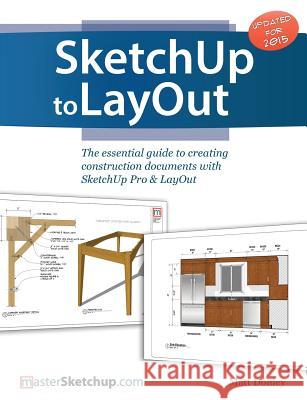
SketchUp to LayOut: The essential guide to creating construction documents with SketchUp Pro & LayOut Donley, Matt 9780996539302 Bizfound, LLC - książkaWidoczna okładka, to zdjęcie poglądowe, a rzeczywista szata graficzna może różnić się od prezentowanej.

SketchUp to LayOut: The essential guide to creating construction documents with SketchUp Pro & LayOut

ISBN-13: 9780996539302 / Angielski / Miękka / 2015 / 314 str.

Donley Matt
cena 197,16
(netto: 187,77 VAT:  5%)

Najniższa cena z 30 dni: 196,61
Termin realizacji zamówienia:
ok. 16-18 dni roboczych
Dostawa w 2026 r.

Darmowa dostawa!

The SketchUp to LayOut book is the essential guide for woodworkers, carpenters, architects, contractors, builders, and designers who already know the basics on how to use SketchUp, but are looking to create stunning presentations to visualize their ideas with their clients using LayOut. Learn the workflow for creating SketchUp models specifically for LayOut Before you even begin modeling that first rectangle, you'll need to fully understand which type of model you should be building for LayOut. Don't make the mistake of creating twice the amount of work for yourself because you didn't properly organize your model ahead of time. I'll teach you how to save time and frustration by organizing your model so YOU are in control of how your model viewports look. The entire first half of the book is dedicated to preparing your model for LayOut. From organizational workflow, to scenes and styles. Then, I share with you my 5 step method to visualize and prepare every scene I create for LayOut. These 5 steps will give you full control over the look of your model in LayOut.

  1. Visible Objects - Control what's visible in your scene by hiding or unhiding layers.
  2. Foreground Depth - Set the viewing plane depth at which you begin to see objects in your scene. By default, the foreground depth starts at the location of your camera, but you can manually set a foreground depth using section cuts and clipping planes.
  3. Background Depth - Set how deep into the model you want to see by using object masks or fog.
  4. Camera Perspective - Position your camera to the view you want to see, and configure your field of view and perspective settings.
  5. Style - Determine how your model will look. This includes render settings for the faces and edges in your model, but also includes specialty settings like watermarks, guides, and section planes.
Not only will you understand exactly what those five points are, you'll learn multiple ways to control them. Using these methods, you will gain complete control over the look of your viewports in LayOut. You will master every aspect of a SketchUp scene and style, to enable you to create impressive presentations and drawings in the least amount of time possible. Who is this book for? This book is designed for construction professionals who don't have any prior experience in LayOut at all. But it's also structured in a way that lets you look up specific tasks or methods without having to read the book cover to cover. I'll save you all the time and frustration that I went through when I first learned LayOut by quickly orienting you with the workspace, then jumping right in to creating your own titleblock, inserting SketchUp models, and adding dimensions. You should have some basic knowledge on how to use SketchUp. But if you're just starting out, you'll have complete access to my entire library of tutorials and videos for free on my website to bring you up to speed quickly. Every important aspect of LayOut is explained in the book, with step by step instructions for you to follow along. Learn exactly what you need to know and skip over all the little details you don't need to worry about. The book has been updated for 2014 so you'll even learn about the new Auto-Text tag feature, saving you a ton of time on those redundant text edits.

The SketchUp to LayOut book is the essential guide for woodworkers, carpenters, architects, contractors, builders, and designers who already know the basics on how to use SketchUp, but are looking to create stunning presentations to visualize their ideas with their clients using LayOut.Learn the workflow for creating SketchUp models specifically for LayOutBefore you even begin modeling that first rectangle, you'll need to fully understand which type of model you should be building for LayOut. Don't make the mistake of creating twice the amount of work for yourself because you didn't properly organize your model ahead of time. I'll teach you how to save time and frustration by organizing your model so YOU are in control of how your model viewports look. The entire first half of the book is dedicated to preparing your model for LayOut. From organizational workflow, to scenes and styles. Then, I share with you my 5 step method to visualize and prepare every scene I create for LayOut. These 5 steps will give you full control over the look of your model in LayOut.

  1. Visible Objects - Control what's visible in your scene by hiding or unhiding layers.
  2. Foreground Depth - Set the viewing plane depth at which you begin to see objects in your scene. By default, the foreground depth starts at the location of your camera, but you can manually set a foreground depth using section cuts and clipping planes.
  3. Background Depth - Set how deep into the model you want to see by using object masks or fog.
  4. Camera Perspective - Position your camera to the view you want to see, and configure your field of view and perspective settings.
  5. Style - Determine how your model will look. This includes render settings for the faces and edges in your model, but also includes specialty settings like watermarks, guides, and section planes.

Not only will you understand exactly what those five points are, you'll learn multiple ways to control them. Using these methods, you will gain complete control over the look of your viewports in LayOut. You will master every aspect of a SketchUp scene and style, to enable you to create impressive presentations and drawings in the least amount of time possible.Who is this book for?This book is designed for construction professionals who don't have any prior experience in LayOut at all. But it's also structured in a way that lets you look up specific tasks or methods without having to read the book cover to cover. I'll save you all the time and frustration that I went through when I first learned LayOut by quickly orienting you with the workspace, then jumping right in to creating your own titleblock, inserting SketchUp models, and adding dimensions. You should have some basic knowledge on how to use SketchUp. But if you're just starting out, you'll have complete access to my entire library of tutorials and videos for free on my website to bring you up to speed quickly. Every important aspect of LayOut is explained in the book, with step by step instructions for you to follow along. Learn exactly what you need to know and skip over all the little details you don't need to worry about. The book has been updated for 2014 so you'll even learn about the new Auto-Text tag feature, saving you a ton of time on those redundant text edits.

Kategorie:
Sztuka, Architektura
Kategorie BISAC:
Architecture > Design, Drafting, Drawing & Presentation
Computers > Design, Graphics & Media - CAD-CAM
House & Home > Design & Construction
Wydawca:
Bizfound, LLC
Język:
Angielski
ISBN-13:
9780996539302
Rok wydania:
2015
Ilość stron:
314
Waga:
0.56 kg
Wymiary:
24.61 x 18.9 x 1.68
Oprawa:
Miękka
Wolumenów:
01


Udostępnij

Facebook - konto krainaksiazek.pl


Opinie o Krainaksiazek.pl na Opineo.pl

Partner Mybenefit

Krainaksiazek.pl w programie rzetelna firma Krainaksiaze.pl - płatności przez paypal

Czytaj nas na:

Facebook - krainaksiazek.pl
  • książki na zamówienie
  • granty
  • książka na prezent
  • kontakt
  • pomoc
  • opinie
  • regulamin
  • polityka prywatności

Zobacz:

  • Księgarnia czeska

  • Wydawnictwo Książkowe Klimaty

1997-2025 DolnySlask.com Agencja Internetowa

© 1997-2022 krainaksiazek.pl
     
KONTAKT | REGULAMIN | POLITYKA PRYWATNOŚCI | USTAWIENIA PRYWATNOŚCI
Zobacz: Księgarnia Czeska | Wydawnictwo Książkowe Klimaty | Mapa strony | Lista autorów
KrainaKsiazek.PL - Księgarnia Internetowa

Polityka prywatnosci - link
Krainaksiazek.pl - płatnośc Przelewy24
Przechowalnia Przechowalnia