• Wyszukiwanie zaawansowane
  • Kategorie
  • Kategorie BISAC
  • Książki na zamówienie
  • Promocje
  • Granty
  • Książka na prezent
  • Opinie
  • Pomoc
  • Załóż konto
  • Zaloguj się

Programming Microcontrollers with Python: Experience the Power of Embedded Python » książka


zaloguj się | załóż konto
Logo Krainaksiazek.pl

koszyk

konto

szukaj
topmenu
Księgarnia internetowa
Szukaj
Książki na zamówienie
Promocje
Granty
Książka na prezent
Moje konto
Pomoc
 
 
Wyszukiwanie zaawansowane
Pusty koszyk
Bezpłatna dostawa dla zamówień powyżej 20 złBezpłatna dostawa dla zamówień powyżej 20 zł

Kategorie główne

• Nauka
 [2946350]
• Literatura piękna
 [1816154]

  więcej...
• Turystyka
 [70666]
• Informatyka
 [151172]
• Komiksy
 [35576]
• Encyklopedie
 [23172]
• Dziecięca
 [611458]
• Hobby
 [135995]
• AudioBooki
 [1726]
• Literatura faktu
 [225763]
• Muzyka CD
 [378]
• Słowniki
 [2917]
• Inne
 [444280]
• Kalendarze
 [1179]
• Podręczniki
 [166508]
• Poradniki
 [469467]
• Religia
 [507199]
• Czasopisma
 [496]
• Sport
 [61352]
• Sztuka
 [242330]
• CD, DVD, Video
 [3348]
• Technologie
 [219391]
• Zdrowie
 [98638]
• Książkowe Klimaty
 [124]
• Zabawki
 [2382]
• Puzzle, gry
 [3525]
• Literatura w języku ukraińskim
 [259]
• Art. papiernicze i szkolne
 [7107]
Kategorie szczegółowe BISAC

Programming Microcontrollers with Python: Experience the Power of Embedded Python

ISBN-13: 9781484270578 / Angielski / Miękka / 2021 / 294 str.
Armstrong Subero
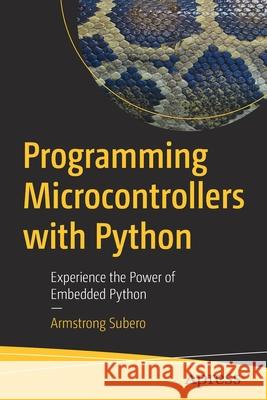
Programming Microcontrollers with Python: Experience the Power of Embedded Python Armstrong Subero 9781484270578 Apress - książkaWidoczna okładka, to zdjęcie poglądowe, a rzeczywista szata graficzna może różnić się od prezentowanej.

Programming Microcontrollers with Python: Experience the Power of Embedded Python

ISBN-13: 9781484270578 / Angielski / Miękka / 2021 / 294 str.

Armstrong Subero
cena 211,90
(netto: 201,81 VAT:  5%)

Najniższa cena z 30 dni: 209,01
Termin realizacji zamówienia:
ok. 16-18 dni roboczych.

Darmowa dostawa!
Kategorie:
Informatyka, Sprzęt komputerowy
Kategorie BISAC:
Computers > Hardware - General
Computers > Languages - Python
Wydawca:
Apress
Język:
Angielski
ISBN-13:
9781484270578
Rok wydania:
2021
Ilość stron:
294
Waga:
0.44 kg
Wymiary:
23.39 x 15.6 x 1.68
Oprawa:
Miękka
Wolumenów:
01
Dodatkowe informacje:
Wydanie ilustrowane

Preface

• Why Did I Write This Book?
• Who Is This Book For?
• What You Will Need For This Book?
• What Will I learn in This Book?
• About the Author
• Errata and Suggestions

Chapter 1: Getting Ready In this chapter we begin learning about microcontrollers what they are and the various languages we can use for them. Things like what software and hardware you will need to follow along with the book as well as the recommended boards to use CircuitPython is covered in this chapter. 

• Introduction to Microcontrollers
• Microcontroller Programming Languages
• Assembly Language
• C
• C++
• BASIC
• Rust
• Python
• Selecting a Board
• Adafruit Metro M0 Express
• Adafruit Feather M0 Express
• Adafruit Metro M4 Express
• Adafruit Grand Central M4 Express
• The Arduino Zero
• The STM32F746ZG Nucleo
• Device Comparison
• The Component List
• The Mu Editor
• Putty
• Setting up Your Own Board
• Conclusion


Chapter 2: Electronics Primer picks up where chapter one leaves off and we move our discussion into the realm of electronics giving an overview of passive analog electronic components such as resistors, capacitors, and inductors. Along the way we learn about breadboards before diving into semiconductor electronics and basic digital electronics. 

• Electrical Wires
• The Breadboard
• Electronic Schematics
• Passive Components
• Resistors 
• Capacitors
• Polarized Capacitors
• Non-Polarized Capacitors
• Capacitor Schematic Symbols
• Inductors
• Semiconductors
• Diode
• Light Emitting Diode
• Transistor
• Metal Oxide Semiconductor Field Effect Transistors
• Integrated Circuits
• Digital Logic
• Logic Level Conversion
• Flip-Flop
• Registers and Shift Register
• Multiplexers and Demultiplexers
• Conclusion 


Chapter 3: Embedded Systems Overview covers the software side of things. We learn about embedded systems, its structure, hardware and software systems and the general architecture of embedded systems. Things like toolchains, testing and a heavy emphasis on software architecture is covered. For those of you reading this book to make and sell your own product, I cover the steps you need to take to carry a product to market. 

• An Overview of Embedded Systems
• Microcontroller vs Applications Processor
• Embedded Systems Structure
• The Hardware System
• The software System
• The Toolchain
• Software Testing
• Embedded Software Architecture
• The Driver Layer
• Hardware Abstraction Layers (HAL)
• Board Support Package (BSP)
• Middleware
• Software Framework
• Code Generator
• Platform
• Embedded Systems Constrains
• Cost
• Performance
• Energy budget
• Embedded Systems Classification
• Small Scale Systems
• Medium Scale Systems
• High Performance Systems
• Distributed Embedded Systems
• Seven Steps to Developing an Embedded Product
• Conclusion 


Chapter 4: Python Programming looks at the python programming language you get a crash course in the core features of the language that you can use to write your own programs. If is written in such a way that even if you never used python, but have some experience programming you will be able to follow along. 

• Writing Python Programs
• Whitespace
• Comments 
• Variables and Constants
• Data Types
• Operators
• Lists
• Tuples
• If Statement
• Else statement
• For Loop
• While Loop
• Functions
• Lambda Functions
• Exception Handling
• Object Oriented Programming
• Random and Time
• Python vs CircuitPython
• How Does My Python Program Run? 
• Conclusion


Chapter 5: Digital Control introduces us to programming the input and output on microcontrollers. We finally start to use microcontrollers and we learn a little bit about how microcontrollers work and learn how to interface them to switches and LEDs. 

• Microcontroller I/O
• Output and Input on Microcontroller Hardware
• Going Deeper into Microcontroller I/O
• Output in CircuitPython
• LED Control
• Output with MCU Schematic
• Output Circuit Connection Tips
• Output with CircuitPython Program 
• LED Blink with CircuitPython Program 
• Pull-up vs Pull-Down Resistors
• Switch Debouncing
• Input in CircuitPython
• Input with MCU Schematic (Pullup)
• Pushbutton Pullup Circuit Connection Tips
• Pushbutton Pullup with CircuitPython Program
• Input with MCU Schematic (Pulldown)
• Pushbutton Pulldown Circuit Connection Tips
• Pushbutton Pulldown with CircuitPython Program
• Conclusion


Chapter 6: Data Conversion covers analog input on our microcontroller, and we cover how analog to digital conversion works on the microcontroller. Using this information, we learn how to read potentiometers, photoresistors and temperature sensors using our microcontroller. 

• Analog To Digital Conversion
• ADC Hardware
• Going Deeper into ADC
• The Potentiometer
• Analog to Digital Conversion in CircuitPython
• ADC with MCU Schematic
• ADC Circuit Connection Tips
• CircuitPython with Potentiometer Program
• Photoresistor
• Photoresistor with MCU Schematic
• Photoresistor Circuit Connection Tips
• Photoresistor with Circuitpython Program
• Temperature Sensor
• Temperature Sensor with MCU Schematic
• Temperature Sensor Circuit Connection Tips
• Temperature Sensor with Circuitpython Program
• Conclusion


Chapter 7: Communication Protocol discusses serial communication protocols on microcontrollers, and we use USART, SPI and I2C. We cover not only how to use these protocols, but also how they operate internally. In this chapter we will cover how to use USB-UART and also how we can read the information from a accelerometer and gyroscope. 

• Microcontroller Communications
• USART Communications
• Deeper into UART
• UART in CircuitPython
• USB-UART with MCU Schematic
• MCU with USB-UART Circuit Connection Tips
• UART with CircuitPython Program
• SPI Communications
• Deeper into SPI
• Board with Potentiometer Circuit Connection Tips
• SPI with CircuitPython Program
• I2C Communications
• Deeper into I2C
• I2C Support in CircuitPython
• The MPU6050
• I2C with MCU Schematic
• I2C Circuit Connection Tips
• I2C with CircuitPython Program
• Adding Libraries
• MPU6050 with CircuitPython Program
• Conclusion


Chapter 8: Display Interfacing teaches us the basics of display interfacing with microcontrollers. We learn about how the LCD works and learn how to use them with our CircuitPython microcontroller. We also learn about OLEDs and learn how we can drive an OLED using CircuitPython. 

• The Liquid Crystal Display
• Using a GLCD
• Monochrome GLCD Schematic
• PCD8544 with CircuitPython
• Troubleshooting
• The Framebuffer
• OLED
• Using an OLED
• MCU with OLED Schematic
• CircuitPython with OLED Program
• Conclusion


Chapter 9: Controlling DC Actuators is about controlling DC actuators. We will learn about things like DC motors, stepper motors and servo motors and learn how to control them with the microcontroller devices. PWM is covered in this chapter as well. 

• DC Motors
• Driving DC Motors
• Pulse Width Modulation
• PWM in CircuitPython
• PWM with CircuitPython Program
• Controlling Motor Speed
• The H-Bridge
• H-Bridge with MCU Schematic
• H-Bridge with CircuitPython Program
• Servo Motors
• Servo Motors in CircuitPython
• Servo Motor with MCU Schematic
• Servo Motor with CircuitPython Program
• Stepper Motors
• Stepper Motors in CircuitPython
• Stepper Motor with MCU Schematic
• Stepper Motor with CircuitPython Program
• Conclusion


Chapter 10: Python MCU Interfacing presents specifics of using and controlling some sensors you are likely to want to use in your own projects. These include RGB LEDs, ultrasonic sensors, piezo speakers, and humidity sensors. 

• RGB LED
• RGB LED with MCU Schematic
• RGB LED Circuit Connection Tips
• Libraries We’ll Need
• RGB LED with Circuitpython Program
• HC-SR04
• HC-SR04 with MCU Schematic
• HC-SR04 Circuit Connection Tips
• Libraries We’ll Need
• HC-SR04 with Circuitpython Program
• Piezo Speaker
• Piezo with MCU Schematic
• Piezo Circuit Connection Tips
• Libraries We’ll Need
• Piezo with Circuitpython Program
• DHT11
• DHT11 with MCU Schematic
• DHT11 Sensor Circuit Connection Tips
• Libraries We’ll Need
• DHT11 Sensor with CircuitPython Program
• Conclusion

Armstrong Subero started learning electronics at the age of 8. One of the happiest memories in his childhood was when he finally figured out how to make a light bulb. It took off from there as he taught himself more advanced topics in electronics, before delving into computer architecture, and eventually discovering the joys of microcontrollers and FPGAs.


He currently works for the Ministry of National Security in his country and writes software, design circuits, courses, robots as well as write books, and blogs about technology on trinirobotics.com in his free time. He is also a contributing author to Free Code Camp and has degrees in Computer Science and Liberal Arts and Sciences from Thomas Edison State University. He is the author of "Programming PIC Microcontrollers in XC8" and "Codeless Data Structures and Algorithms" both published by Apress Media LLC.

For the first time microcontrollers are powerful enough to be programmed in Python. The landscape of embedded systems development is changing, microcontrollers are becoming more powerful, and the rise of the internet of things is leading more developers to get into hardware. This book provides the solid foundation to start your journey of embedded systems development and microcontroller programming with Python. 

You’ll quickly realize the value of using Python. The theme of the book is simplicity and the cleanness and elegance of Python makes that possible. Featuring a step-by-step approach, this single source guide balances complexity and clarity with insightful explanations that you’ll easily grasp. 

Python is quickly becoming the language of choice for applications such as machine learning and computer vision on embedded devices. What would previously be daunting and exceedingly difficult to do in C or C++ is now possible with Python because of its level of abstraction. Programming Microcontrollers with Python is your path to bringing your existing skills to the embedded space.  

You will:

  • Review microcontroller basics and the hardware and software requirements 
  • Understand an embedded system’s general architecture
  • Follow the steps needed to carry a product to market 
  • Take a crash course in Python programming
  • Program a microcontroller
  • Interface with a microcontroller using LCD and Circuit Python
  • Use and control sensors


Udostępnij

Facebook - konto krainaksiazek.pl


Opinie o Krainaksiazek.pl na Opineo.pl

Partner Mybenefit

Krainaksiazek.pl w programie rzetelna firma Krainaksiaze.pl - płatności przez paypal

Czytaj nas na:

Facebook - krainaksiazek.pl
  • książki na zamówienie
  • granty
  • książka na prezent
  • kontakt
  • pomoc
  • opinie
  • regulamin
  • polityka prywatności

Zobacz:

  • Księgarnia czeska

  • Wydawnictwo Książkowe Klimaty

1997-2026 DolnySlask.com Agencja Internetowa

© 1997-2022 krainaksiazek.pl
     
KONTAKT | REGULAMIN | POLITYKA PRYWATNOŚCI | USTAWIENIA PRYWATNOŚCI
Zobacz: Księgarnia Czeska | Wydawnictwo Książkowe Klimaty | Mapa strony | Lista autorów
KrainaKsiazek.PL - Księgarnia Internetowa

Polityka prywatnosci - link
Krainaksiazek.pl - płatnośc Przelewy24
Przechowalnia Przechowalnia






