• Wyszukiwanie zaawansowane
  • Kategorie
  • Kategorie BISAC
  • Książki na zamówienie
  • Promocje
  • Granty
  • Książka na prezent
  • Opinie
  • Pomoc
  • Załóż konto
  • Zaloguj się

Mathematica Graphics: Techniques & Applications » książka

zaloguj się | załóż konto
Logo Krainaksiazek.pl

koszyk

konto

szukaj
topmenu
Księgarnia internetowa
Szukaj
Książki na zamówienie
Promocje
Granty
Książka na prezent
Moje konto
Pomoc
 
 
Wyszukiwanie zaawansowane
Pusty koszyk
Bezpłatna dostawa dla zamówień powyżej 20 złBezpłatna dostawa dla zamówień powyżej 20 zł

Kategorie główne

• Nauka
 [2939893]
• Literatura piękna
 [1808953]

  więcej...
• Turystyka
 [70366]
• Informatyka
 [150555]
• Komiksy
 [35137]
• Encyklopedie
 [23160]
• Dziecięca
 [608786]
• Hobby
 [136447]
• AudioBooki
 [1631]
• Literatura faktu
 [225099]
• Muzyka CD
 [360]
• Słowniki
 [2914]
• Inne
 [442115]
• Kalendarze
 [1068]
• Podręczniki
 [166599]
• Poradniki
 [468390]
• Religia
 [506548]
• Czasopisma
 [506]
• Sport
 [61109]
• Sztuka
 [241608]
• CD, DVD, Video
 [3308]
• Technologie
 [218981]
• Zdrowie
 [98614]
• Książkowe Klimaty
 [124]
• Zabawki
 [2174]
• Puzzle, gry
 [3275]
• Literatura w języku ukraińskim
 [260]
• Art. papiernicze i szkolne
 [7376]
Kategorie szczegółowe BISAC

Mathematica Graphics: Techniques & Applications

ISBN-13: 9781461275947 / Angielski / Miękka / 2011 / 721 str.
Tom Wickham-Jones
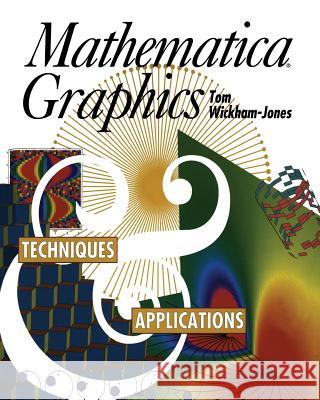
Mathematica Graphics: Techniques & Applications Wickham-Jones, Tom 9781461275947 Springer - książkaWidoczna okładka, to zdjęcie poglądowe, a rzeczywista szata graficzna może różnić się od prezentowanej.

Mathematica Graphics: Techniques & Applications

ISBN-13: 9781461275947 / Angielski / Miękka / 2011 / 721 str.

Tom Wickham-Jones
cena 201,24
(netto: 191,66 VAT:  5%)

Najniższa cena z 30 dni: 192,74
Termin realizacji zamówienia:
ok. 22 dni roboczych.

Darmowa dostawa!

Since its first release in 1988, Mathematica has sold over a quarter of a million copies throughout the world, enabling the manipulation of fields of mathematics such as numerics, symbolic algebra, and graphics. This step-by-step guide deals solely with generating computer graphics using the Mathematica software. It is written by an expert in the field, himself an employee of Wolfram Research, Inc., the creators and distributors of the software. Dr. Wickham-Jones is directly involved in all the technical issues and programs relating to the graphics side of the Mathematica package, and is therefore an obvious choice as author of such a publication.


Kategorie:
Informatyka
Kategorie BISAC:
Computers > Data Science - General
Computers > Software Development & Engineering - Computer Graphics
Computers > Artificial Intelligence - General
Wydawca:
Springer
Język:
Angielski
ISBN-13:
9781461275947
Rok wydania:
2011
Wydanie:
Softcover Repri
Ilość stron:
721
Waga:
1.43 kg
Wymiary:
25.4 x 20.32 x 3.76
Oprawa:
Miękka
Wolumenów:
01

"The book accomplishes its objectives completely. The presentation of the ideas and instructions is clear, and the examples fully illustrate the system's capabilities." - Computing Reviews

I The Built-in Functions.- 1. Introduction to Mathematica.- 1.1 Basic Input and Output.- 1.2 Mathematica Expressions.- 1.3 Different Interfaces to Mathematica.- 1.4 Learning More about Mathematica.- 2. A Tour of Plotting.- 2.1 Function Plotting.- 2.2 Data Plotting.- 2.3 Mathematica Graphics Objects.- 2.4 GraphicsArray.- 2.5 Advanced Function Plotting.- 2.6 Summary.- 3. Graphics Options.- 3.1 Using Mathematica Options.- 3.2 Two-Dimensional Graphics Options.- 3.3 Graphics Commands.- 3.4 Three-Dimensional Graphics Options.- 3.5 Contour Plots.- 3.6 Density Plots.- 3.7 Summary.- 4. Interfacing with the Rest of Mathematica.- 4.1 Importing and Manipulating Data.- 4.2 Saving and Restoring a Graphics Object.- 4.3 Numerical Functions.- 4.4 Mathematica Graphics Packages.- 4.5 Summary.- 5. Animating Graphics.- 5.1 Animation Methods.- 5.2 The Animation Package.- 5.3 Summary.- 6. The Mathematica Front End.- 6.1 Notebook Front Ends.- 6.2 Printing.- 6.3 Animation.- 6.4 Saving and Restoring Notebooks.- 6.5 Displaying and Copying Coordinates.- 6.6 The Three-Dimensional ViewPoint Selector.- 6.7 Non-Notebook Front Ends.- II Graphics Programming.- 7. Mathematica Programming.- 7.1 Defining a New Function.- 7.2 Replacement Rules.- 7.3 Pure Functions.- 7.4 High-Level Mathematica Functions.- 7.5 Summary.- 8. Two-Dimensional Graphical Primitives.- 8.1 Primitives.- 8.2 Style Directives.- 8.3 Rectangle.- 8.4 Text.- 8.5 Summary.- 9. Three-Dimensional Graphical Primitives.- 9.1 Primitives.- 9.2 Style Directives.- 9.3 Polygon Triangulation.- 9.4 Three-Dimensional Realism.- 9.5 Summary.- 10. Coordinate Systems.- 10.1 Two Dimensions.- 10.2 The Transformation in Two Dimensions.- 10.3 Three Dimensions.- 10.4 The Transformation in Three Dimensions.- 10.5 Summary.- 11. Color.- 11.1 Style Directives.- 11.2 Function Evaluation.- 11.3 Lighting.- 11.4 Color Output.- 11.5 Summary.- 12. Combining and Converting Graphics.- 12.1 Combining Objects with Show.- 12.2 How Objects Are Converted.- 12.3 Surface, Contour, and Density Plots.- 12.4 Summary.- 13. Programming Examples.- 13.1 Avoiding Asymptotes in Plot.- 13.2 Plotting Smooth Contours.- 13.3 Constraining Contour Plots.- 13.4 Choosing Tick Mark Positions.- 13.5 Setting the Style of Tick Marks.- 13.6 Adding Labels to a Plot.- 13.7 Defining a New Graphics Object.- 13.8 Forming Contour Lines in Three Dimensions.- 13.9 Using Three-Dimensional Symbols.- 13.10 MathLink and Fractal Images.- 13.11 Summary.- III Applications in Visualization and Computer Graphics.- 14. The Design of Effective Graphics.- 14.1 The Basic Graph of Data.- 14.2 Changing the Style.- 14.3 Adding Lines to Organize the Data.- 14.4 Changing the Shape.- 14.5 Advanced Labeling Features.- 14.6 Multiple Data Sets.- 14.7 Rescaling the Data.- 14.8 The Bar Chart.- 14.9 The Pie Chart.- 14.10 Primitive Styles and Summary.- 15. Labeling Contour Plots.- 15.1 Labeling Contour Lines.- 15.2 Labeling ContourPlots with a Legend.- 15.3 Labeling in Version 2.2 Mathematica.- 15.4 Automatic Placement of Labels.- 15.5 Summary.- 16. Two-Dimensional Geometry.- 16.1 Basic Geometric Objects.- 16.2 Geometric Transformations.- 16.3 Geometric Results.- 16.4 Computational Geometry.- 16.5 Summary.- 17. Three-Dimensional Geometry.- 17.1 Basic Geometric Objects.- 17.2 Geometric Transformations.- 17.3 Geometric Results.- 17.4 Projection and Embedding.- 17.5 Clipping.- 17.6 Polygon Triangulation.- 17.7 Extruding Solids.- 17.8 Summary.- 18. Visualizing Numeric Data.- 18.1 One-Dimensional Data.- 18.2 Two-Dimensional Data.- 18.3 Three-Dimensional Data.- 18.4 Triangulation and Resampling.- 18.5 Summary of Three-Dimensional Visualization.- 18.6 Four-Dimensional Data.- 18.7 Multidimensional Data.- 18.8 Summary.- 19. Visualizing Vectors.- 19.1 Two-Dimensional Vectors.- 19.2 Flow around an Object.- 19.3 Three-Dimensional Vectors.- 19.4 Field Lines.- 19.5 Summary.- IV A Reference to Graphics in Mathematica.- 20. Graphics Reference.- 20.1 Basic Structure.- 20.2 Primitives.- 20.3 Style Directives.- 20.4 Graphics Options.- 20.5 Generating Graphics Objects.- 21. Graphics3D Reference.- 21.1 Basic Structure.- 21.2 Primitives.- 21.3 Style Directives.- 21.4 Graphics3D Options.- 21.5 Generating Graphics3D Objects.- 21.6 Converting Graphics3D Objects.- 22. SurfaceGraphics Reference.- 22.1 Basic Structure.- 22.2 SurfaceGraphics Options.- 22.3 Generating SurfaceGraphics Objects.- 22.4 Converting SurfaceGraphics Objects.- 23. ContourGraphics Reference.- 23.1 Basic Structure.- 23.2 ContourGraphics Options.- 23.3 Generating ContourGraphics Objects.- 23.4 Converting ContourGraphics Objects.- 24. DensityGraphics Reference.- 24.1 Basic Structure.- 24.2 DensityGraphics Options.- 24.3 Generating DensityGraphics Objects.- 24.4 Converting DensityGraphics Objects.- 25. GraphicsArray Reference.- 25.1 Basic Structure.- 25.2 GraphicsArray Options.- 26. Rendering and Exporting Graphics.- 26.1 Show.- 26.2 Display.- 26.3 Notebook Graphics Formats.- 26.4 Exporting Graphics: The Notebook Front End.- 26.5 Exporting Graphics: The Kernel.- Appendix A.1 ExtendGraphics Installation.- Appendix A.2 ExtendGraphics Reference.- Appendix A.3 Loading Mathematica Packages.


Udostępnij

Facebook - konto krainaksiazek.pl


Opinie o Krainaksiazek.pl na Opineo.pl

Partner Mybenefit

Krainaksiazek.pl w programie rzetelna firma Krainaksiaze.pl - płatności przez paypal

Czytaj nas na:

Facebook - krainaksiazek.pl
  • książki na zamówienie
  • granty
  • książka na prezent
  • kontakt
  • pomoc
  • opinie
  • regulamin
  • polityka prywatności

Zobacz:

  • Księgarnia czeska

  • Wydawnictwo Książkowe Klimaty

1997-2026 DolnySlask.com Agencja Internetowa

© 1997-2022 krainaksiazek.pl
     
KONTAKT | REGULAMIN | POLITYKA PRYWATNOŚCI | USTAWIENIA PRYWATNOŚCI
Zobacz: Księgarnia Czeska | Wydawnictwo Książkowe Klimaty | Mapa strony | Lista autorów
KrainaKsiazek.PL - Księgarnia Internetowa

Polityka prywatnosci - link
Krainaksiazek.pl - płatnośc Przelewy24
Przechowalnia Przechowalnia