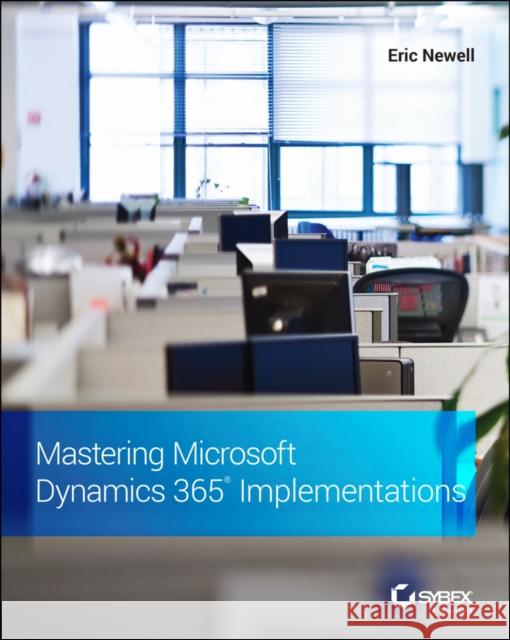
Mastering Microsoft Dynamics 365 Implementations » książka




Mastering Microsoft Dynamics 365 Implementations
ISBN-13: 9781119789321 / Angielski / Miękka / 2021 / 416 str.
Mastering Microsoft Dynamics 365 Implementations
ISBN-13: 9781119789321 / Angielski / Miękka / 2021 / 416 str.
(netto: 183,50 VAT: 5%)
Najniższa cena z 30 dni: 190,05
ok. 16-18 dni roboczych.
Darmowa dostawa!
Introduction xxviiChapter 1 * Stages of an Implementation Overview 1What Is Microsoft Dynamics? 1The Client Journey 2Implementation Methodologies 5Waterfall and Sure Step 5Agile and Scrum 7Triple Constraints 8The Bottom Line 9Chapter 2 * What to Do Before You Begin a Project 11Identify Your Project Team and Stakeholders 11Executive Sponsor 12Project Owner 12Business Process Owner(s) 13Project Manager 13Core Team and a Core Team Lead 14Subject Matter Experts 14IT Resources 15Time Commitment by Role 17Identify Your Processes in Scope 18Clean Up Your Data 19Identify Your "Master" Data 19Develop Naming Conventions 20Identify System Owners 20Find and Resolve Duplicates and Incorrect Data 20Define Your Success Metrics 21Possible Benefits 22Building Your Business Case and Securing Funding 23How Much Should an ERP Project Cost? 24Costs to Include in Your Calculations 24Capitalizing Costs 25Contingency 27Return on Investment (ROI) 27Gaining Approval 28The Bottom Line 29Chapter 3 * Four Keys to Consider When Buying an ERP or CRM Solution 31Selection Process 31Selection Consultant 32Decision Maker 33The Four Keys 33Fit 34Platform 35Implementer 39Cost 41Building Your Scorecard 44The Bottom Line 45Chapter 4 * How to Evaluate and Buy Business Application Software 47Buying Process Steps 47Qualification Stage 48Discovery and Demonstration Stage 49Selecting Your Vendor 51Leadership or Board Approval 54Moving Forward 54The Bottom Line 54Chapter 5 * Organizing Your Team for Success and Project Governance 57RACI 57Your Project Team 58Your Partner's Implementation Team 59Executive Sponsor 60Engagement Manager 60Project Manager 60Solution Architect or Solution Delivery Manager 60Functional Consultant or Consultants 61Technical Consultant 61Development Lead and Developers 61Integration Architect 61Data Migration Specialist 62Project Governance 62Project Communication 62Resource Loading 62Project Schedule 66Document Repository 67Budget Tracking 68Change Requests 68Project Management Plan 68The Bottom Line 69Chapter 6 * Sprints and Tools Needed to Run Your Project 73Definition of a Sprint 73Length of a Sprint 74Start and End of a Sprint 74Delivering Value in a Sprint 74Backlog 75Project Backlog 75Sprint Backlog 76Allocating Work to Team Members 76Sprint Success Rate 76Sprint Meetings 77Sprint Planning 77Sprint Review 77Sprint Retrospective 78Stand-up Meetings 78Work Definitions 79Epic 79Feature 79User Story 80Requirement 80Research Task 80Design Task 80Development Task 81Test Task 81Other Task 81Test Case 81Test 81Bug (Defect) 81Risk 81Issue 82Change Request 82Code and Changesets 82Azure DevOps 82DevOps Fields 82Progress Reporting 83Analytical Views 83The Bottom Line 84Chapter 7 * Change Management Throughout Your Project 87Success Criteria 88Use of Satisfaction Surveys 89Nine Steps to Change Management 90Leadership Alignment 90Organization Evaluation 91Outline Your Business Process Change Steps 92Develop a System Vision that Provides Benefits to All Stakeholders 92Communicate Effectively 92Maximize the Team's Time in the New System 94Train Effectively 94Set Realistic Expectations for the System Just After Go-Live 94Support Your Team Members After Go-Live 95Steps to Business Process Change 95Importance of Adoption 96The Bottom Line 96Chapter 8 * Organizing Your Business by Processes 99Common Language Businesses Speak 99Operations 100Sales 100Finance and Administration 100Standard Processes 100Process Hierarchy 102Process Category 102Process Group 103Process 103Sub-processes, Tasks, Activities, and Requirements 104Discovering Your Processes 104SIPOC 104Core Team Members 106Rounding Out Your Scope 106The Bottom Line 106Chapter 9 * Independent Software Vendors--Filling Gaps and Managing Partnerships 109The Purpose of ISVs 109Hosting Providers 110Private Hosting 111SaaS-Style Hosting 111Industry ISVs 111Deciding If You Need an Industry ISV 112Functional ISVs 113Missing Functionality 113Advanced Features 113Missing Connector 113Automation 114Reporting Extensions 114Deciding If You Need a Functional ISV 114Working with ISVs 114Budgeting for ISV Solutions 115Implementation Partner or Customer Managed 115Buying the ISV License or Subscription 115Implementation of ISV Products 116Manage Your ISV Projects Closely 116Microsoft's AppSource Marketplace 117Product Listing 118Services Listing 118The Bottom Line 119Chapter 10 * Factors for a Successful Project Kickoff 121Pre-Kickoff Meeting Activities 121Checklist 121Expectations for the Meeting 124Outing 124Kickoff Meeting Content 124Executive Overview 125Introductions and Role Review 125Expectations for Team Members 126Project Management and Communication Plan 126Project Schedule 126Resources 126Navigation Overview [Optional] 127Wrapping Up 127Executive Message 127Expectations for the Project Team 128Time Commitment 128Decision-Making 129Power of Positivity 129The Bottom Line 130Chapter 11 * Designing the Software Collaboratively 133Joint Application Design Concept 133Joint Process Design and Other Design-Related Definitions 134What Is a Joint Process Design (JPD) Session? 134Happy Path 136"As-Is" vs "To Be" 136Joint Process Design Iterations 137JPD1 137JPD2 139JPD3 140JPD4 140Keys to Successful JPDs 140JPD Output 141SIPOC 142The Bottom Line 143Chapter 12 * Requirements Gathering and Staying "In the Box" 145Staying in the Box 145Customization vs In-the-Box Examples 146Requirements 147Out-of-the-Box Fields as Requirements 147Requirements Link to Processes 148Functional vs Non-functional Requirements 149Verifying Requirements 150Writing Good Requirements 150Requirements Tips 150Fit/Gap Analysis 151Fit/Gap Spreadsheet 152Trade-Offs 153The Cost of Customizations 154Cloud vs On-Premise Software 155The Bottom Line 155Chapter 13 * Conference Room Pilots 157The Purpose of a Conference Room Pilot 157How to Organize CRPs 158Common Elements of CRPs 159CRP Agenda 159Logistics 160Issues and Questions 160CRP Roles and Responsibilities 161Session Leader 161Helper/Expert 162Business Process Owner 162Users/Students 162Who Not to Invite 163CRP Place in the Overall Schedule 163Can You Do a CRP on One Process Group at the Same TimeThat You Do a JPD? 164Entrance Criteria 164CRP vs UAT 166How They Are Similar 166How They Are Different 166What to Do Between CRP and the End of the Create Stage 167CRP Goals 168The Bottom Line 168Chapter 14 * Dealing with Challenges Mid-Project 171Managing the Project Status 172Status Report 172Colors on a Status Report 173Managing Your Budget 175Project Pulse 177Risks and Issues 177Risk Register 178Issues vs Bugs 179Common Project Challenges 179The Bottom Line 183Chapter 15 * Customizations vs Configurations and How You Manage Them 185Customizations vs Configurations 185Customization 185Configuration 186Integration 186Master Data 187Metadata 187Personalization 187Reference Data 187When to Customize vs Configure 188Why Choose to Customize 188Tracking Configurations 188Configuration Tracker 189Gold Environment 189Lifecycle Services 189Functional Design Documents 190Overview 190Modification 190Testing 190Development Quotation 191Revision and Sign-off 191Updates 191Design Complete 191The Development Process 192Develop the Solution 192Unit Test 192Code Review 193Functional Testing (Part 1) 193Finishing Up 194After Code Complete 194Deploying the Code 194Functional Testing (Part 2) 194Preparing for CRP and UAT 195The Lifecycle of a Customization 195Managing These Tasks 195Wrap-Up 196The Bottom Line 197Chapter 16 * Data Migration--Early and Often 199Data Migration Plan 200Proactive Cleaning 200Before the Kickoff 201Data Migration Tool 202Iterations 203Extract 206Finding the Data 206Extraction Tools 206Transform 208Mapping the Data 208Mapping Tools 208Transforming Mapped Data 209Load 210Order of Operation 210Load Time 210Validating the Data 210Technical Validation 211Business Validation 211Functional Validation 212Go-Live Iteration 212The Bottom Line 213Chapter 17 * Environment Management and Deployments 215Types of Environments 216Developer Environments 216Build 217Test 217Sandbox 218Production 219Environment Plan 220Types of Releases 220Frequency of Code Moves 222Populating Configurations and Master Data 222Deploying Code 223Application Lifecycle Management 223Environment Flow Using DevOps 224Rollback 224Security 225Definitions 225How Best to Manage 226The Bottom Line 227Chapter 18 * Testing 229Definitions 229Types of Testing 230Common Testing Terms 231Pre-Deploy Stage Activities 232Testing Strategy 232Unit Test and Regression Tests 233Developing Test Cases 234UAT Entrance Criteria 235UAT Exit Criteria 236UAT Sessions 236Purpose 236Additional Benefits of UAT Sessions 237UAT Roles and Responsibilities 237Executing Your Test Plans 238Tips for the Sessions 239Post UAT Testing 240Issues List 241Process Sign-Offs 241Scenario Recaps 241The Bottom Line 242Chapter 19 * Training for All 245Learning During Interactive Sessions 246JPDs 246CRPs 246UAT 247Learning Modalities 247In-Person, Classroom Style 248Remote, Synchronous Training 249Asynchronous 251Building Your Training Content 251End User Training Content 251Product Help Content 252Microsoft Learn 253Recording Sessions 253Task Recorder 253How Much to Document 254How to Manage and Distribute Your Content 254Learning Management Systems 255Building Your End User Training Schedule 255Pre-Training Learning 256Train the Trainer 256Synchronous Sessions 257Advanced Concepts 257Testing Users' Knowledge 257Office Hours 258The Bottom Line 259Chapter 20 * Going Live 261Go-Live Criteria 261Cutover Plan 262Bug Criteria 262Data Migration and Security Criteria 263Support Readiness 264Training Review 264Communication Plan 265Go-Live Scorecard 265Mock Cutover and Final Week Activities 266Disaster Recovery 267System Setup Before Cutover 267Go/No-Go Meetings 268When to Have It 268Voting Criteria 268Meeting Agenda 269Order and Outcome of the Votes 269Next Steps 270Live Cutover 270Impact of the Cutover Start Timing 271Completing Cutover Activities 271Rollback Plan 272Acknowledge the Team 272The Bottom Line 272Chapter 21 * Hypercare 275Go-Live Support 275Day 1 276Week 1 276Project Change Champions 277Prioritizing Issues 277Weeks 2-4 278First Month End 278Duration of Hypercare 279Role of HelpDesk 279Sample SLA 280Project Team Support 280Support Levels 281Refer Users to Training 283Making the Transition to HelpDesk Later 283Post Go-Live Releases 284Planning for Future Releases 285Hotfix Release 285Scheduled Releases 286Project Team Transition 287Rolling Off the Project Team 287Documentation 288Expectations of Support 288After the Transition 289The Bottom Line 289Chapter 22 * Support and Enhance Your Project 291Support After Hypercare 291Extending the Transition from Consulting to Support 292Engaging Your Partner for Support 292Microsoft and ISV Support Plans 294After Action Review 295Who to Invite 295How to Run the Meeting 296What to Do with the Feedback 297Ongoing Releases 297Microsoft Dynamics 365 Release Cadence 297Release Testing 297When to Schedule Your Releases 298What to Include in Releases 299Future Enhancements 299New Functionality 299Usability 300Guardrails 301Business Intelligence 301Incorporating Dynamics Data into Your Daily Business 302Integrations 302Machine Learning and Artificial Intelligence 302Calculating Return on Investment 303ROI Checkpoints 304The Bottom Line 305Chapter 23 * Bringing It All Together 307Align Stage 307Define Stage 308Create Stage 311Deploy Stage 313Empower Stage 314Additional Resources 315The Bottom Line 315Appendix * The Bottom Line 317Chapter 1: Stages of an Implementation Overview 317Chapter 2: What to Do Before You Begin a Project 318Chapter 3: Four Keys to Consider When Buying an ERP or CRM Solution 320Chapter 4: How to Evaluate and Buy Business Application Software 322Chapter 5: Organizing Your Team for Success and Project Governance 323Chapter 6: Sprints and Tools Needed to Run Your Project 325Chapter 7: Change Management Throughout Your Project 326Chapter 8: Organizing Your Business by Processes 328Chapter 9: Independent Software Vendors--Filling Gaps and Managing Partnerships 329Chapter 10: Factors for a Successful Project Kickoff 331Chapter 11: Designing the Software Collaboratively 332Chapter 12: Requirements Gathering and Staying "In the Box" 334Chapter 13: Conference Room Pilots 335Chapter 14: Dealing with Challenges Mid-Project 337Chapter 15: Customizations vs Configurations and How You Manage Them 338Chapter 16: Data Migration--Early and Often 340Chapter 17: Environment Management and Deployments 341Chapter 18: Testing 343Chapter 19: Training for All 344Chapter 20: Going Live 346Chapter 21: Hypercare 347Chapter 22: Support and Enhance Your Project 349Chapter 23: Bringing It All Together 350Glossary 353Index 369
Eric Newell is the Co-Founder and CEO of Stoneridge Software, a Microsoft Gold Partner, focused on Dynamics. Prior to founding Stoneridge, he worked at Microsoft for 13 years in Dynamics-related roles including support engineer, IT lead for support systems, Technical Account Manager and as a Premier Field Engineering team leader. He frequently presents on topics related to implementing Microsoft Dynamics 365, and has spoken at Microsoft conferences over a dozen times. He has served as a project management trainer at Microsoft as well as local universities.




Czytaj nas na:
1997-2026 DolnySlask.com Agencja Internetowa
KrainaKsiazek.PL - Księgarnia Internetowa


