• Wyszukiwanie zaawansowane
  • Kategorie
  • Kategorie BISAC
  • Książki na zamówienie
  • Promocje
  • Granty
  • Książka na prezent
  • Opinie
  • Pomoc
  • Załóż konto
  • Zaloguj się

Essential Visual C++ 6.0 Fast: An Introduction to Windows Programming Using the Microsoft Foundation Class Library » książka


zaloguj się | załóż konto
Logo Krainaksiazek.pl

koszyk

konto

szukaj
topmenu
Księgarnia internetowa
Szukaj
Książki na zamówienie
Promocje
Granty
Książka na prezent
Moje konto
Pomoc
 
 
Wyszukiwanie zaawansowane
Pusty koszyk
Bezpłatna dostawa dla zamówień powyżej 20 złBezpłatna dostawa dla zamówień powyżej 20 zł

Kategorie główne

• Nauka
 [2946600]
• Literatura piękna
 [1856966]

  więcej...
• Turystyka
 [72221]
• Informatyka
 [151456]
• Komiksy
 [35826]
• Encyklopedie
 [23190]
• Dziecięca
 [619653]
• Hobby
 [140543]
• AudioBooki
 [1577]
• Literatura faktu
 [228355]
• Muzyka CD
 [410]
• Słowniki
 [2874]
• Inne
 [445822]
• Kalendarze
 [1744]
• Podręczniki
 [167141]
• Poradniki
 [482898]
• Religia
 [510455]
• Czasopisma
 [526]
• Sport
 [61590]
• Sztuka
 [243598]
• CD, DVD, Video
 [3423]
• Technologie
 [219201]
• Zdrowie
 [101638]
• Książkowe Klimaty
 [124]
• Zabawki
 [2473]
• Puzzle, gry
 [3898]
• Literatura w języku ukraińskim
 [254]
• Art. papiernicze i szkolne
 [8170]
Kategorie szczegółowe BISAC

Essential Visual C++ 6.0 Fast: An Introduction to Windows Programming Using the Microsoft Foundation Class Library

ISBN-13: 9781852331702 / Angielski / Miękka / 1999 / 214 str.
Ian Chivers; I. D. Chivers
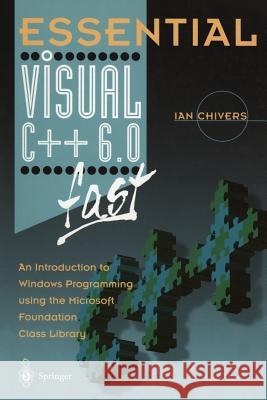
Essential Visual C++ 6.0 Fast: An Introduction to Windows Programming Using the Microsoft Foundation Class Library Ian Chivers I. D. Chivers 9781852331702 Springer - książkaWidoczna okładka, to zdjęcie poglądowe, a rzeczywista szata graficzna może różnić się od prezentowanej.

Essential Visual C++ 6.0 Fast: An Introduction to Windows Programming Using the Microsoft Foundation Class Library

ISBN-13: 9781852331702 / Angielski / Miękka / 1999 / 214 str.

Ian Chivers; I. D. Chivers
cena 201,72 zł
(netto: 192,11 VAT:  5%)

Najniższa cena z 30 dni: 192,74 zł
Termin realizacji zamówienia:
ok. 22 dni roboczych
Bez gwarancji dostawy przed świętami

Darmowa dostawa!

Microsoft's Visual C++ 6.0 contains lots of new features designed to help developers build high performance applications. This book covers all these, which makes it ideal reading for those who want a quick introduction to Windows programming with Visual C++ and the Microsoft Foundation class (MFC) library. Topics covered by Ian Chivers in this book include: The 2 key Windows classes: CFrameWnd and CWinApp; Message Maps; Controls. Graphical Output Newcomers to the package will find that Essential Visual C++ 6.0 fast will help them to create their own applications - incorporating all the new features - quickly, effectively and productively.


Kategorie:
Informatyka, Programowanie
Kategorie BISAC:
Computers > Languages - C++
Computers > Programming - Compilers
Wydawca:
Springer
Język:
Angielski
ISBN-13:
9781852331702
Rok wydania:
1999
Wydanie:
Softcover Repri
Ilość stron:
214
Waga:
0.33 kg
Wymiary:
23.37 x 15.67 x 1.24
Oprawa:
Miękka
Wolumenów:
01

1 Overview.- Microsoft Visual C++ 6 — What isn’t covered.- COM.- Active X.- Active Template Library — ATL.- Database management — ODBC.- Database management — DAO.- Internet programming — ISAPI.- Wizards.- Assumptions.- Microsoft Visual C++ versions.- Edition comparison.- Windows programming.- User interface features.- Working methods.- Visual Studio.- Development platforms.- Coda.- Problems.- 2 Visual Studio.- On-line documentation.- Right-hand mouse button.- Mouse with middle roller.- Expanding and contracting the size of the windows.- Simple program development.- Stage 1 — File | New.- Stage 2 — Choose a project type.- Stage 3 — Choose a project name and location.- Stage 4 — Project type.- Stage 5 — New project information.- Stage 6 — Visual Studio empty project.- Stage 7 — Project | Add to project | New.- Stage 8 — New | Files/Projects/Other documents.- Stage 9 — Visual Studio — Editor window.- Stage 10 — Type in the program.- Stage 11 — Build | Execute.- Stage 12 — This file does not exist.- Stage 13 — DOS Console window.- Stage 14 — Back to Visual Studio.- Summary.- 3 Getting Started.- The program.- Running the program.- Windows data types and naming conventions.- Summary of steps in creating a windows program.- 4 Messages.- Working methods again.- The application.- The program.- Running the program.- The C++ source.- Summary.- 5 Controls: Menus.- Resources.- The application.- The menu ID file — menuids.h.- The resource file.- The C++ source file.- Running the program.- The resource file.- MENU statement.- MENUITEM statement.- The text parameter.- The result parameter.- The option list parameter.- POPUP resource.- The text parameter.- The option list parameter.- The ACCELERATORS statement.- The C++ source file.- Summary.- Wizards and resource editors.- Wizards.- The c0503.rc file.- The afxres.h file.- The resource editor.- 6 Controls: Dialog Boxes.- The application.- The menu ID file.- The resource file.- The C++ source file.- Running the example.- The menu ID file.- The resource file.- The C++ source file.- Summary.- 7 Controls: List Boxes.- The application.- The menu ID file.- The resource file.- The C++ source file.- Running the example.- The menu ID file.- The resource file.- The C++ Source File.- OnInitDialog and LBN_DBLCLK.- List box handlers and member functions.- Summary.- 8 Controls: Check Box with Grouping.- The application.- The menu ID file.- The resource file.- The C++ source file.- Running the program.- The menu ID file.- The resource file.- The C++ source.- Summary.- 9 Controls: Edit Boxes, Radio Buttons, Plain Text.- The application.- The ID file.- The resource file.- The C++ source file.- Running the program.- The menu ID file.- The resource file.- Ltext.- Edittext.- Autoradiobutton.- The C++ source file.- Summary.- 10 Common Controls.- Summary.- 11 Controls: Toolbars.- The application.- Menu options.- Button appearance.- The resource file.- The ID file.- The C++ source file.- Function prototype CToolBar::CreateEx.- Function prototype return value.- Function prototype parameters.- Function prototype CToolbar::LoadToolBar.- Constructor return value.- Constructor parameters.- Running the program.- Summary.- 12 Controls: Status Bar and Tooltips.- The application.- The ID file.- The resource file.- The C++ source file.- Running the program.- Summary.- 13 Icons.- The application.- Graphics editor.- Microsoft provided icons.- Function prototype CWinApp::LoadIcon.- Function prototype return value.- Function prototype parameters.- The menu ID file.- The resource file.- The C++ source file.- Function prototype AfxRegisterWndClass.- Function prototype return value.- Function prototype parameters.- Running the application.- Summary.- 14 Text I/O Using Device Contexts.- Overview.- Device contexts.- Function prototype GetSystemMetrics.- Function prototype CDC::PatBlt.- Function prototype return value.- Function prototype parameters.- Function prototype CDC::BitBlt.- Function prototype return value.- Function prototype parameters.- Function prototype CDC::TextOut.- Function prototype return value.- Function prototype parameters.- Drawing text.- CFont.- Flicker and the repaint problem.- Example 1: Simple text i/o.- The C++ source file.- Running the program.- Example 2: Altering the font.- Type face name.- Style.- Size.- The C++ program source.- Running the program.- Summary.- 16 Graphics Using Device Contexts.- Graphic objects.- Classes for windows GDI objects.- Process of creating a graphic object in a device context.- Function prototype MoveToEx.- Function prototype return values.- Parameters.- Function prototype CDC::LineTo.- Function prototype return values.- Function prototype parameters.- Example 1.- Running the program.- Additional features.- Function prototype CDC::SetMapMode.- Function prototype parameter.- Function prototype CDC::SetViewportExt.- Function prototype return value.- Function prototype parameters.- Function prototype CDC::SetViewportOrg.- Function prototype return value.- Function prototype parameters.- Example 2.- Running the program.- Summary.- 17 Bitmaps Using Device Contexts.- Device-dependent bitmaps — DDB.- Device-independent bitmaps — DIB.- Colour.- Screen resolution, graphics memory and colours displayed.- Creating a bitmap.- CBitmap.- Function prototype CBitmap::LoadBitmap.- The resource file.- The C++ source file.- Running the program.- DIB.- Summary.- 18 Where Next?.- On-line help.- MSDN CDs.- On-line examples.- Wizards.- Books.- Web resources.- Summary.- Appendix A: Toolbar Example.- Menu ID file.- Resource file.- C++ source file.- Appendix B: Statusbar And Tooltips Example.- Menu ID file.- Resource file.- C++ source file.- Appendix C: Icon Example.- Menu ID file.- Resource File.- C++ Source File.- Appendix D: Second Text I/O Example.- C++ source file.- Appendix E: Second Graphics I/O Example.- C++ source file.


Udostępnij

Facebook - konto krainaksiazek.pl


Opinie o Krainaksiazek.pl na Opineo.pl

Partner Mybenefit

Krainaksiazek.pl w programie rzetelna firma Krainaksiaze.pl - płatności przez paypal

Czytaj nas na:

Facebook - krainaksiazek.pl
  • książki na zamówienie
  • granty
  • książka na prezent
  • kontakt
  • pomoc
  • opinie
  • regulamin
  • polityka prywatności

Zobacz:

  • Księgarnia czeska

  • Wydawnictwo Książkowe Klimaty

1997-2025 DolnySlask.com Agencja Internetowa

© 1997-2022 krainaksiazek.pl
     
KONTAKT | REGULAMIN | POLITYKA PRYWATNOŚCI | USTAWIENIA PRYWATNOŚCI
Zobacz: Księgarnia Czeska | Wydawnictwo Książkowe Klimaty | Mapa strony | Lista autorów
KrainaKsiazek.PL - Księgarnia Internetowa

Polityka prywatnosci - link
Krainaksiazek.pl - płatnośc Przelewy24
Przechowalnia Przechowalnia





