• Wyszukiwanie zaawansowane
  • Kategorie
  • Kategorie BISAC
  • Książki na zamówienie
  • Promocje
  • Granty
  • Książka na prezent
  • Opinie
  • Pomoc
  • Załóż konto
  • Zaloguj się

Audio Visualization Using Thmad: Realtime Graphics Rendering for Ubuntu Linux » książka


zaloguj się | załóż konto
Logo Krainaksiazek.pl

koszyk

konto

szukaj
topmenu
Księgarnia internetowa
Szukaj
Książki na zamówienie
Promocje
Granty
Książka na prezent
Moje konto
Pomoc
 
 
Wyszukiwanie zaawansowane
Pusty koszyk
Bezpłatna dostawa dla zamówień powyżej 40 złBezpłatna dostawa dla zamówień powyżej 40 zł

Kategorie główne

• Nauka
 [2953408]
• Literatura piękna
 [1818674]

  więcej...
• Turystyka
 [70115]
• Informatyka
 [151610]
• Komiksy
 [36466]
• Encyklopedie
 [23169]
• Dziecięca
 [612210]
• Hobby
 [135681]
• AudioBooki
 [1806]
• Literatura faktu
 [226254]
• Muzyka CD
 [391]
• Słowniki
 [2978]
• Inne
 [449189]
• Kalendarze
 [1375]
• Podręczniki
 [166538]
• Poradniki
 [469635]
• Religia
 [508779]
• Czasopisma
 [523]
• Sport
 [61275]
• Sztuka
 [243340]
• CD, DVD, Video
 [3479]
• Technologie
 [219064]
• Zdrowie
 [98975]
• Książkowe Klimaty
 [124]
• Zabawki
 [2531]
• Puzzle, gry
 [3670]
• Literatura w języku ukraińskim
 [261]
• Art. papiernicze i szkolne
 [8134]
Kategorie szczegółowe BISAC

Audio Visualization Using Thmad: Realtime Graphics Rendering for Ubuntu Linux

ISBN-13: 9781484231678 / Angielski / Miękka / 2017 / 349 str.
Peter Spath
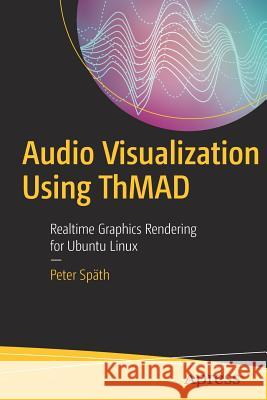
Audio Visualization Using Thmad: Realtime Graphics Rendering for Ubuntu Linux Späth, Peter 9781484231678 Apress - książkaWidoczna okładka, to zdjęcie poglądowe, a rzeczywista szata graficzna może różnić się od prezentowanej.

Audio Visualization Using Thmad: Realtime Graphics Rendering for Ubuntu Linux

ISBN-13: 9781484231678 / Angielski / Miękka / 2017 / 349 str.

Peter Spath
cena 152,93
(netto: 145,65 VAT:  5%)

Najniższa cena z 30 dni: 146,48
Termin realizacji zamówienia:
ok. 16-18 dni roboczych.

Darmowa dostawa!
Kategorie:
Informatyka
Kategorie BISAC:
Computers > Software Development & Engineering - Computer Graphics
Mathematics > Graphic Methods
Computers > Programming - Open Source
Wydawca:
Apress
Język:
Angielski
ISBN-13:
9781484231678
Rok wydania:
2017
Ilość stron:
349
Waga:
0.52 kg
Wymiary:
23.39 x 15.6 x 1.96
Oprawa:
Miękka
Wolumenów:
01
Dodatkowe informacje:
Wydanie ilustrowane

1. Introduction

Sound visualization is about capturing the sound coming from outside, using a microphone or the line-in jack of your sound card, or coming from inside if a sound file gets played on your computer. The software suite ThMAD allows for graphically building a sound pipeline, yielding realtime graphics rendering to produce beautiful and interesting output from that sound. The introductory chapter depicts such kind of a system, tells about the targeted audience, and gives some hints about text conventions and the preferred way of reading this book.

1.1 About Sound Visualization and ThMAD
1.2 Targeted Audience
1.3 Installation
1.4 Conventions Used in This Text
1.5 How to Read This Book

2. Sound Input

We deepen the knowledge of how the computer can be prepared to capture incoming sound or produced sound, how the sound gets represented
internally, and how the data arrives at ThMAD. We distinguish between the obvious air pressure elongation versus time representation, and the power versus frequency representation or spectrum.

2.1 Prepare for Sound Input
2.2 Understanding Sound Structure
2.2.1 Time-Elongation Representation
2.2.2 Frequency-Power Representation
2.2.3 Input Data Taken From the Sound Card

3. Visualization Basics

This chapter is about the tool chain to be used for an audio visualization project, and presents two basic audio visualization samples using ThMAD.

3.1 Tool Chain
3.1.1 Installing ThMAD
3.1.2 Connect PulseAudio Sound to ThMAD
3.1.3 Recording a Video
3.1.4 Making a DVD From Your Recording
3.2 Basic Samples
3.2.1 Basic 2D Sample
3.2.2 Basic 3D Sample

4. Program Operation
The ThMAD primarily consists of two programs, ThMAD Artiste and ThMAD Player. We describe how these programs can be started and stopped, including all possible options for controlling program operation. We furthermore describe faders, which conduct the transitions between several visualizations inside Player.

4.1 ThMAD Artiste Operation
4.1.1 Starting And Using Different Modes
4.1.2 Stopping ThMAD Artiste
4.1.3 Starting With Errors
4.2 ThMAD Player Operation
4.2.1 Starting And Using Different Modes
4.2.2 Stopping ThMAD Player
4.2.3 Creating and Installing Faders

5. 3D Concepts

For an exhaustive reference to 3D computer graphics concepts lots of materials are available in the internet and book stores. Albeit OpenGL, the technology behind ThMAD, being huge as a concept and a complete coverage of all topics exceeding the scope of this book, we reckon an introduction with our special view on audio visualization should be worthwhile. In addition some of the peculiarities about how ThMAD handles some graphics sub-pipelines and own graphics concepts on top of OpenGL get described later in this chapter.

5.1 Coordinate Systems
5.2 Space Mapping
5.3 Spatial Operations: Translation, Rotation, Scaling
5.4 Exposure to Light
5.5 Eye And Camera
5.6 ThMAD Meshes
5.7 ThMAD Particle Systems

6. Stories

In this chapter we want to dive more into the art of audio visualization by more elaborated walk-throughs covering various aspects to be taken into account. We will by no means ever be able to describe all possible kinds of sketches, but it will be the aim of this Stories chapter to provide you with techniques which eventually will be apt to make you realize your own ideas. There is no pa
rticular order for the sections, so you can sequentially work through them or cross read them, whatever best suits you.

6.1 More 3D Rendering Pipelines
6.1.1 Transformations
6.1.2 Wireframes
6.1.3 Ocean
6.2 Texture Mapping
6.2.1 Automatic Texture Coordinates
6.2.2 Floating Textures I
6.2.3 Floating Textures II
6.3 Backfeeding Textures
6.3.1 Blurring in Two Dimensions
6.3.2 Self-Similarity
6.4 Blobs, Blobs, Blobs
6.4.1 Basic Blobs
6.4.2 Perlin Noise Blobs
6.5 Particle Systems 
6.5.1 Waterfall
6.5.2 Image Bit Particles
6.5.3 Center Clamped Particle Systems>6.5.4 Ribbon Particles
6.6 Glowing Objects

7. ThMAD Artiste GUI Reference

The subject of this chapter is an exhaustive manual of ThMAD Artiste GUI operations. All front-end ele
ments get described, including the main menu, module choosers, some helper widgets, namely the Assistant and the Inspector, as well as different operation modes, and keyboard shortcuts. This is followed by the concepts of saving and loading of States which describe a visualization pipeline. We talk about what Modules are, what types of modules we have, how they can be controlled, and how they can be connected to other modules. The export of states for the purpose of using them later from inside ThMAD Player, the description of macros for defining sub-pipelines, and the introduction of Note widgets complete this chapter.

7.1 Starting and Stopping the GUI
7.2 The ThMAD Desktop And Its Parts
7.3 Window modes 
7.3.1 Fullwindow Mode
7.3.2 Performance Mode
7.3.3 Fullscreen Mode
7.4 The Main Menu
7.5 Module Choosers
7.5.1 The Module List
7.5.2 The Graphical Module Chooser
7.6 The Assistant
7.7 The Object Inspector
7.8 Saving and Loading States
7.9 Modules
7.9.1 Module Types
7.9.2 Placing and Deleting Modules
7.9.3 Connecting Modules
7.9.4 Cloning Modules
7.10 Module Anchors: Parameters And Connectors
7.10.1 Drawing Connections Between Anchors
7.10.2 Enumeration Input as Module Parameter 
7.10.3 Float Input as Module Parameter
7.10.4 Float3 Input as Module Parameter
7.10.5 Float4 Input as Module Parameter
7.10.6 Quaternion Input as Module Parameter
7.10.7 String Input as Module Parameter
7.10.8 Resource as Module Parameter
7.10.9 Sequence Input as Module Parameter
7.11 Exporting States
7.12 Macros
7.13 Notes

8. ThMAD Player GUI Reference

ThMAD player is the part of the ThMAD program suite responsible f
or presenting finished states, which inside the Player’s nomenclature are called Visualizations. Inside this chapter we describe all GUI operation options, more precisely the keyboard shortcuts which can be used to control ThMAD Player.

8.1 Starting and Stopping the GUI
8.2 Player GUI Operations

9. ThMAD Module Reference

Here we provide a complete module reference, both for built-in modules and plug-in modules. By its structure it gives you an oversight of what can be done using the software, and both scanning over the chapter and reading it thoroughly will help you get some impres
sions and new ideas. The module category names and the module names themselves closely relate to the GUI and the implementation code, with an emphasizing to the GUI so you can easily make your own experiments using the GUI.

9.1 Screen
9.1.1 screen0
9.2 Bitmaps
9.2.1 Filters
9.2.2 Generators
9.2.3 Loaders
9.2.4 Modifiers
9.3 Dummies
9.4 Maths
9.4.1 Accumulators
9.4.2 Arithmetics
9.4.3 Array
9.4.4 Color
9.4.5 Converters
9.4.6 Dummies
9.4.7 Interpolation
9.4.8 Limiters
9.4.9 Oscillators
9.5 Mesh
9.5.1 Dummies
9.5.2 Generators
9.5.3 Importers
9.5.4 Modifiers – Color
9.5.5 Modifiers – Converters
9.5.6 Modifiers – Deformers
9.5.7 Modifiers – Helpers
9.5.8 Modifiers – Pickers
9.5.9 Modifiers – Transforms
9.5.10 Particles
9.5.11 Segmesh
9.5.12 Solid
9.5.13 Texture
9.5.14 Vertices
9.5.15 Xtra
9.6 Particlesystems
9.6.1 Fractals
9.6.2 Generators
9.6.3 Modifiers
9.7 Renderers
9.7.1 Basic
9.7.2 Mesh
9.7.3 OpenGL Modifiers
9.7.4 Oscilloscopes
9.7.5 Particlesystems
9.7.6 Shaders
9.7.7 Text
9.7.8 Xtra
9.8 Selectors
9.9 Sound
9.9.1 input_visualization_listener
9.9.2 midi → aka_apc40_controller
9.9.3 ogg_sample_*
9.9.4 raw_sample_*
9.10 String
9.11 System
9.12 Texture
9.12.1 Buffers
9.12.2 Dummies
9.12.3 Effects
9.12.4 Loaders
9.12.5 Modifiers
9.12.6 OpenGL
9.12.7 Particles

10. Appendix

10.1 Figures

Dr. Peter Späth has worked as a IT consultant with heavy focus on Java related development for over 15 years. Recently, Peter has decided to focus on his work has an author and working in a self-paced manner on software.

Learn how to use Thinking Machine Audio Dreams (ThMAD), a realtime audio visualization engine for Ubuntu Linux. This book bridges the gap between programmers and artists. Both artists and developers with an inclination towards arts will profit from this book since it is a combination of a hands-on tutorial, manual, and reference, with many illustrations that accompany the explanations and tutorials.



You'll learn the basics of ThMAD's open source software suite and then start experimenting and building your own rendering pipelines to create audio visualizations. You'll see how to soundly use all ThMAD's GUI functionalities, and all modules are provided in a way that will serve both intellectual curiosity and professional needs. The examples that are used as part of the software, and the tutorials included in the book, will serve as a solid basis for your own experiments.


Udostępnij

Facebook - konto krainaksiazek.pl


Opinie o Krainaksiazek.pl na Opineo.pl

Partner Mybenefit

Krainaksiazek.pl w programie rzetelna firma Krainaksiaze.pl - płatności przez paypal

Czytaj nas na:

Facebook - krainaksiazek.pl
  • książki na zamówienie
  • granty
  • książka na prezent
  • kontakt
  • pomoc
  • opinie
  • regulamin
  • polityka prywatności

Zobacz:

  • Księgarnia czeska

  • Wydawnictwo Książkowe Klimaty

1997-2026 DolnySlask.com Agencja Internetowa

© 1997-2022 krainaksiazek.pl
     
KONTAKT | REGULAMIN | POLITYKA PRYWATNOŚCI | USTAWIENIA PRYWATNOŚCI
Zobacz: Księgarnia Czeska | Wydawnictwo Książkowe Klimaty | Mapa strony | Lista autorów
KrainaKsiazek.PL - Księgarnia Internetowa

Polityka prywatnosci - link
Krainaksiazek.pl - płatnośc Przelewy24
Przechowalnia Przechowalnia




