• Wyszukiwanie zaawansowane
  • Kategorie
  • Kategorie BISAC
  • Książki na zamówienie
  • Promocje
  • Granty
  • Książka na prezent
  • Opinie
  • Pomoc
  • Załóż konto
  • Zaloguj się

Advanced Excel Reporting for Management Accountants » książka

zaloguj się | załóż konto
Logo Krainaksiazek.pl

koszyk

konto

szukaj
topmenu
Księgarnia internetowa
Szukaj
Książki na zamówienie
Promocje
Granty
Książka na prezent
Moje konto
Pomoc
 
 
Wyszukiwanie zaawansowane
Pusty koszyk
Bezpłatna dostawa dla zamówień powyżej 40 złBezpłatna dostawa dla zamówień powyżej 40 zł

Kategorie główne

• Nauka
 [2950887]
• Literatura piękna
 [1817392]

  więcej...
• Turystyka
 [70421]
• Informatyka
 [151509]
• Komiksy
 [36471]
• Encyklopedie
 [23146]
• Dziecięca
 [612016]
• Hobby
 [135856]
• AudioBooki
 [1813]
• Literatura faktu
 [226002]
• Muzyka CD
 [369]
• Słowniki
 [2975]
• Inne
 [447066]
• Kalendarze
 [1173]
• Podręczniki
 [166853]
• Poradniki
 [469656]
• Religia
 [507933]
• Czasopisma
 [503]
• Sport
 [61169]
• Sztuka
 [242521]
• CD, DVD, Video
 [3456]
• Technologie
 [219319]
• Zdrowie
 [99010]
• Książkowe Klimaty
 [124]
• Zabawki
 [2510]
• Puzzle, gry
 [3701]
• Literatura w języku ukraińskim
 [264]
• Art. papiernicze i szkolne
 [8012]
Kategorie szczegółowe BISAC

Advanced Excel Reporting for Management Accountants

ISBN-13: 9781118657720 / Angielski / Miękka / 2014 / 448 str.
Neale Blackwood
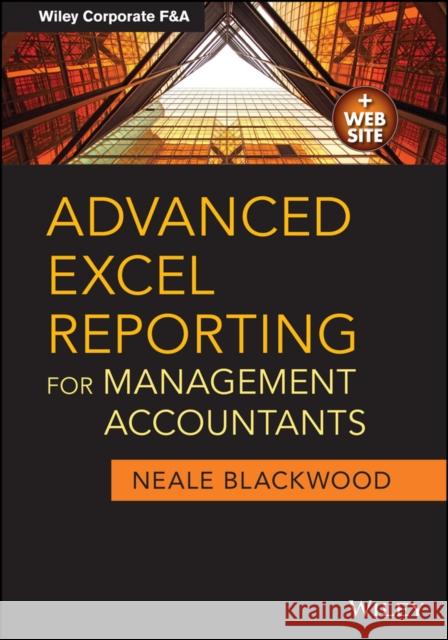
Advanced Excel Reporting for Management Accountants Blackwood, Neale 9781118657720 John Wiley & Sons - książkaWidoczna okładka, to zdjęcie poglądowe, a rzeczywista szata graficzna może różnić się od prezentowanej.

Advanced Excel Reporting for Management Accountants

ISBN-13: 9781118657720 / Angielski / Miękka / 2014 / 448 str.

Neale Blackwood
cena 240,12
(netto: 228,69 VAT:  5%)

Najniższa cena z 30 dni: 236,16
Termin realizacji zamówienia:
ok. 16-18 dni roboczych.

Darmowa dostawa!

The advanced tools accountants need to build automated, reliable, and scalable reports using Excel Learn about the functions that work together to automate many of the processes involved in Management Reporting. See how to take advantage of the many new features of Excel 2007 and 2010. Find out how to build validation structures into your spreadsheet reports. Discover how to identify missing or new codes, either in the creation process or in the day-to-day running of the reports. Do it all with Advanced Excel Reporting for Management Accountants.

  • Explore the structures that simplify the report creation process and make the reports more maintainable
  • Learn techniques to -cleanse- data so that it is ready for use in Pivot Tables and formula-based reports
  • Find out the tips and tricks that can make the creation process quicker and easier
  • Discover all you need to know about Excel's summing functions and how versatile they can be
Written in a hands-on style that works towards the completion of two reporting case studies, Advanced Excel Reporting for Management Accountants explains and demonstrates techniques so that Management Accountants can learn how to automate many aspects of the reporting process.

Kategorie:
Nauka, Ekonomia i biznes
Kategorie BISAC:
Business & Economics > Accounting - Managerial
Computers > Business & Productivity Software - Spreadsheets
Wydawca:
John Wiley & Sons
Seria wydawnicza:
Wiley Corporate F&a
Język:
Angielski
ISBN-13:
9781118657720
Rok wydania:
2014
Ilość stron:
448
Waga:
0.77 kg
Wymiary:
25.15 x 17.93 x 2.34
Oprawa:
Miękka
Wolumenów:
01
Dodatkowe informacje:
Wydanie ilustrowane

Preface xiii

Acknowledgments xv

Introduction 1

Chapter 1. Management Accounting and Excel 3

Assumptions 3

The Goal of Reporting 5

Why Use Excel? 5

The Goal of This Book 6

Monthly Management Reports 7

Macro Policy 7

Chapter 2. Building Reporting Models 9

Needs Analysis 10

Scope Definition 10

Design 11

Construction 11

Testing 12

Operation 12

Maintenance 12

Time, Effort, and Cost 12

Practical Considerations 13

Chapter 3. Building Tips 15

Display Tips 16

Keyboard Shortcuts 26

Mouse Shortcuts 33

Keyboard and Mouse Shortcuts 42

General Tips 48

Chapter 4. Design and Structure 57

Structure = Flexibility 57

Modular Sheet Design 58

Standardised Report Layout 60

Table–Based Systems 62

Spreadsheet Best Practices 63

Chapter 5. Setting the Foundation 67

Terminology 68

Data Rules 68

Data Structures 69

Format as Table 70

Data Cleansing Techniques 74

External Data 80

Chapter 6. Pivot Tables (Do–It–Yourself Reporting) 85

The Pros and Cons of a Pivot Table 85

Creating a Pivot Table 88

PowerPivot 108

Chapter 7. Tools of the Trade: Summing Functions 111

Range Names 112

Using Cells and Ranges in Formulas 112

The Humble SUM Function 116

Advanced SUM and 3D Formulas 117

Subtotaling 120

The SUBTOTAL Function 121

The AGGREGATE Function 125

Function Wizard 127

Conditional Summing 127

The SUMIF Function 131

SUMIF Uses 135

Helper Cells 135

The SUMIFS Function 136

The SUMPRODUCT Function 138

Chapter 8. Accessories: Other Reporting Functions and Features 153

Helper Cells 153

Logic Functions 155

The IF Function 157

The AND and OR Functions 161

Lookup Functions 164

The VLOOKUP Function 164

The HLOOKUP Function 168

An Alternative to VLOOKUP 170

The INDEX and MATCH Functions 170

The MATCH Function 170

The INDEX Function 172

The INDEX–MATCH Combination 174

Error Handling Functions 175

The IFERROR Function 175

Handling Specifi c Errors 177

Text–Based Functions 180

The TEXT Function 181

LEFT and RIGHT Functions 183

The MID Function 184

Flexible Text Manipulations 185

The SEARCH Function 185

The LEN Function 187

Flexible Splitting 187

The SUBSTITUTE Function 188

Converting Text to Numbers 190

Date Functions 190

The DATE Function 191

Other Useful Functions 192

Array Formulas 201

Chapter 9. Range Names 209

Advantages 210

Disadvantages 210

Creating a Range Name 211

Using Range Names 213

Name Manager 216

Naming a Range 218

Creating Names Automatically 222

Name Intersections 227

Dynamic Range Names 228

Using Structure in Range Names 233

INDIRECT and Range Names 236

Listing Range Names 237

Chapter 10. Maintenance Issues 239

Maintenance Instructions 239

The Advantages of Using Tables 240

Common Issues 241

Rolling the Year 241

Working with Days 242

Simplifying the Interface by Using Controls 244

Chapter 11. Choosing the Right Format 255

Colour Blindness 255

Format Painter 256

Less Is More 256

Fonts 257

Clear and Start Again 257

The Format Cells Dialog Box 257

Styles 270

Conditional Formatting 272

Printing Issues 293

Chapter 12. Picture Perfect: Charting Techniques 299

Chart versus Graph 300

Chart Basics 300

Charts for Reports 302

Automating Charts 302

Mixing Chart Types 307

Dual–Axis Charts 308

Handling Missing Data 311

Labeling Highs and Lows 313

Trendlines and Moving Averages 315

Plotting the Variance 316

Dashboard Techniques 317

Text in a Chart 331

The Data Series Formula 332

Before and After Charts 333

Chapter 13. Quality Control: Report Validation 337

Identifying Errors 337

Validations 338

Error Tracking 340

Identifying New Codes 346

Conditional Formatting 347

Suggested Validation Structure 347

Reasonableness Checks 349

Chapter 14. Case Study One: Month and Year–to–Date Reporting 351

Scenario 351

Data Requirements 352

Processes 352

Structure 354

Design 354

Report Layout 355

The Creation Process 355

The Reports 363

Chapter 15. Case Study Two: 12–Month Reporting 379

Scenario 379

Data Requirements 380

Processes 381

Structure 381

Design 382

The Creation Process 382

The Reports 387

Chapter 16. Final Thoughts 407

Feedback 408

Last Words 408

About the Author 409

About the Companion Website 411

Index 413

Neale Blackwood has been using spreadsheets since the late 80 s. Starting with Lotus and moving to Excel in the mid 90 s. His roles have included Accountant, Project Accountant, Financial Controller and Management Accountant. He developed most of his advanced Excel skills as a Management Accountant.
An Australian CPA and certified Microsoft Office Specialist Expert, he has written for the CPA Australia monthly magazine, INTHEBLACK, since 2002. He has written over 100 of his regular "Excel Yourself" articles and eight feature articles for the magazine. He has freely answered Excel questions from Australian CPA′s from many different countries for over nine years.
He has presented at numerous CPA Australia events in Australia, from one hour sessions to half–day Master Classes. He writes and presents his own XL@Lunch Excel webinars to people from around the globe.

Praise for Advanced Excel Reporting for Management Accountants

Neale Blackwood, a long–time spreadsheet user and trainer, shares his knowledge of Excel reporting in a manner that s both thorough and easy to follow. He starts with the basics, and gradually introduces key topics that utilize commonly accepted best practices. This book will make your Excel reporting more useful and less prone to errors.
John Walkenbach, Author of Excel 2013 Bible

This book is essential reading for anyone involved in Excel reporting. It provides great insights about not only the most relevant and useful functions of Excel for reporting and management accounting, but also how to apply these in practical ways that will improve your thinking and make your reporting more efficient. Neale knows more about management accounting and Excel reporting than anyone I know, and this book allows you to benefit from his experience so you can avoid the pitfalls and dramatically improve your Excel reports.
Jeff Robson, CEO & Principal Business Analyst, Access Analytic

Neale has brilliantly applied his considerable experience and expertise in writing this book. With clear descriptions and straightforward analogies, he gets inside the mind of the reporting analyst. With useful guidance on Excel reporting best practices, the reader does not waste time on unnecessary features but instead is guided to invaluable time–saving techniques. By applying the simple yet effective methodology described in this comprehensive book, even an experienced management reporting analyst will improve the efficiency, integrity, and robustness of their reporting tools. Definitely a career–booster!
Danielle Stein Fairhurst, Financial Modelling Specialist & Presenter, Plum Solutions

Neale is very well known for his practical Excel skills and knowledge. His new book, Advanced Excel Reporting for Management Accountants, is highly recommended and will be useful to both accounting students and professionals alike.
William Beattie, CPA, Business & Finance Analyst

This book is chock–full of well–explained good ideas. With hundreds of tips, even if you simply choose any three to consistently implement, your management reports (and all your spreadsheets in general) will be greatly improved. Apply more than three and your work will significantly reduce the likelihood of both qualitative and quantitative errors. Although the book uses the title Advanced, the name relates more to the outputs than the user techniques; the language is approachable, and the book builds through from improving Excel program usability to improving the Excel spreadsheets. A great go–to manual to keep and re–read time and again.
Eve Blackall, Smart Accounting the Science of Business Success


Udostępnij

Facebook - konto krainaksiazek.pl


Opinie o Krainaksiazek.pl na Opineo.pl

Partner Mybenefit

Krainaksiazek.pl w programie rzetelna firma Krainaksiaze.pl - płatności przez paypal

Czytaj nas na:

Facebook - krainaksiazek.pl
  • książki na zamówienie
  • granty
  • książka na prezent
  • kontakt
  • pomoc
  • opinie
  • regulamin
  • polityka prywatności

Zobacz:

  • Księgarnia czeska

  • Wydawnictwo Książkowe Klimaty

1997-2026 DolnySlask.com Agencja Internetowa

© 1997-2022 krainaksiazek.pl
     
KONTAKT | REGULAMIN | POLITYKA PRYWATNOŚCI | USTAWIENIA PRYWATNOŚCI
Zobacz: Księgarnia Czeska | Wydawnictwo Książkowe Klimaty | Mapa strony | Lista autorów
KrainaKsiazek.PL - Księgarnia Internetowa

Polityka prywatnosci - link
Krainaksiazek.pl - płatnośc Przelewy24
Przechowalnia Przechowalnia







