• Wyszukiwanie zaawansowane
  • Kategorie
  • Kategorie BISAC
  • Książki na zamówienie
  • Promocje
  • Granty
  • Książka na prezent
  • Opinie
  • Pomoc
  • Załóż konto
  • Zaloguj się

Adobe Creative Suite 6 Design and Web Premium All-In-One for Dummies » książka

zaloguj się | załóż konto
Logo Krainaksiazek.pl

koszyk

konto

szukaj
topmenu
Księgarnia internetowa
Szukaj
Książki na zamówienie
Promocje
Granty
Książka na prezent
Moje konto
Pomoc
 
 
Wyszukiwanie zaawansowane
Pusty koszyk
Bezpłatna dostawa dla zamówień powyżej 20 złBezpłatna dostawa dla zamówień powyżej 20 zł

Kategorie główne

• Nauka
 [2949965]
• Literatura piękna
 [1857847]

  więcej...
• Turystyka
 [70818]
• Informatyka
 [151303]
• Komiksy
 [35733]
• Encyklopedie
 [23180]
• Dziecięca
 [617748]
• Hobby
 [139972]
• AudioBooki
 [1650]
• Literatura faktu
 [228361]
• Muzyka CD
 [398]
• Słowniki
 [2862]
• Inne
 [444732]
• Kalendarze
 [1620]
• Podręczniki
 [167233]
• Poradniki
 [482388]
• Religia
 [509867]
• Czasopisma
 [533]
• Sport
 [61361]
• Sztuka
 [243125]
• CD, DVD, Video
 [3451]
• Technologie
 [219309]
• Zdrowie
 [101347]
• Książkowe Klimaty
 [123]
• Zabawki
 [2362]
• Puzzle, gry
 [3791]
• Literatura w języku ukraińskim
 [253]
• Art. papiernicze i szkolne
 [7933]
Kategorie szczegółowe BISAC

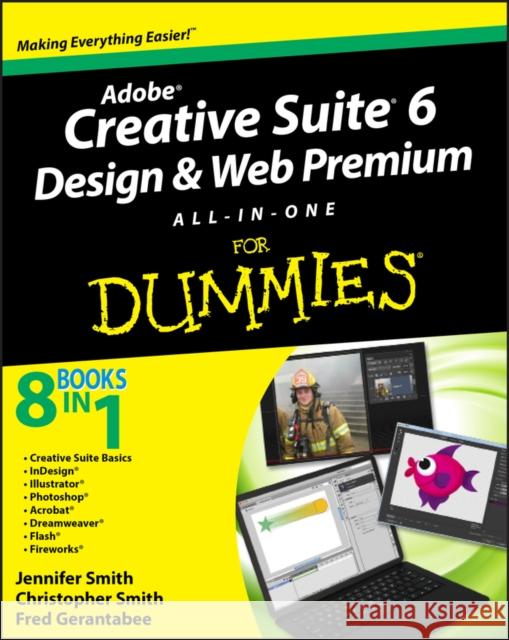
Adobe Creative Suite 6 Design and Web Premium All-In-One for Dummies

ISBN-13: 9781118168608 / Angielski / Miękka / 2012 / 1056 str.
Jennifer Smith
Adobe Creative Suite 6 Design and Web Premium All-In-One for Dummies Jennifer Smith 9781118168608  - książkaWidoczna okładka, to zdjęcie poglądowe, a rzeczywista szata graficzna może różnić się od prezentowanej.

Adobe Creative Suite 6 Design and Web Premium All-In-One for Dummies

ISBN-13: 9781118168608 / Angielski / Miękka / 2012 / 1056 str.

Jennifer Smith
cena 143,42
(netto: 136,59 VAT:  5%)

Najniższa cena z 30 dni: 142,24
Termin realizacji zamówienia:
ok. 30 dni roboczych
Bez gwarancji dostawy przed świętami

Darmowa dostawa!

The must-have book on the leading suite of software for graphic and web designers Fully revised and updated this hands-on resource offers a one-stop learning opportunity through eight minibooks dedicated to each product inside Adobe's Design & Web Premium Suite. The minibooks include Adobe Creative Suite Basics, InDesign, Illustrator, Photoshop, Acrobat, Dreamweaver, Flash, Fireworks. The book contains information on new image enhancements to After Effects, 64-bit versions of Illustrator and Flash Professional, and a new tool, dubbed Helium, that will enable designers to create content using HTML5 and CSS3.

  • Offers the depth needed by novices and long-time professionals
  • Covers the key features and tools users need to master individual programs to their fullest capacities
  • Helps designers to be more creative and productive
  • Filled with tips and techniques for using the 8 design programs
This popular package gives designers a full review of the most popular design and development tools on the market.

Kategorie:
Informatyka, Grafika komputerowa
Kategorie BISAC:
Computers > Image Processing
Computers > Design, Graphics & Media - Graphics Tools
Język:
Angielski
ISBN-13:
9781118168608
Rok wydania:
2012
Ilość stron:
1056
Waga:
1.55 kg
Wymiary:
23.37 x 18.8 x 5.59
Oprawa:
Miękka
Wolumenów:
01

Introduction 1

Book I: Adobe Creative Suite 6 Basics 7

Chapter 1: Introducing Adobe Creative Suite 6 9

Chapter 2: Using Common Menus and Commands 17

Chapter 3: Exploring Common Panels 29

Chapter 4: Using Common Extensions and Filters 35

Chapter 5: Importing and Exporting 43

Chapter 6: Handling Graphics, Paths, Text, and Fonts 57

Chapter 7: Using Color 69

Chapter 8: Printing Documents 77

Book II: InDesign CS6 87

Chapter 1: Introducing InDesign CS6 89

Chapter 2: Working with Text and Text Frames 109

Chapter 3: Understanding Page Layout 135

Chapter 4: Drawing in InDesign 155

Chapter 5: Understanding Color 175

Chapter 6: Clipping Paths, Alignment, and Object Transformation 181

Chapter 7: Exporting to PDF, Flash, and Printing 191

Chapter 8: Creating Digital Documents using HTML and EPUB 205

Book III: Illustrator CS6 213

Chapter 1: What′s New in Illustrator CS6 215

Chapter 2: Discovering Illustrator CS6 223

Chapter 3: Using the Selection Tools 241

Chapter 4: Creating Basic Shapes 251

Chapter 5: Using the Pen Tool and Placing Images 261

Chapter 6: Using Type in Illustrator 277

Chapter 7: Organizing Your Illustrations 301

Chapter 8: Using Layers 311

Chapter 9: Livening Up Illustrations with Color 319

Chapter 10: Using the Transform and Distortion Tools 343

Chapter 11: Working with Transparency and Special Effects Tools 355

Chapter 12: Using Filters and Effects 367

Chapter 13: Using Your Illustrator Images 379

Book IV: Photoshop CS6 393

Chapter 1: Exploring New Features in Photoshop CS6 395

Chapter 2: Getting Into Photoshop CS6 Basics 409

Chapter 3: Messing with Mode Matters 421

Chapter 4: Creating a Selection 429

Chapter 5: Using the Photoshop Pen Tool 447

Chapter 6: Thinking about Resolution Basics 457

Chapter 7: Creating a Good Image 463

Chapter 8: Working with Painting and Retouching Tools 477

Chapter 9: Using Layers 497

Chapter 10: Saving Photoshop Images for Print and the Web 515

Book V: Acrobat X 527

Chapter 1: Discovering Essential Acrobat Information 529

Chapter 2: Creating PDF Files 539

Chapter 3: Adding Interactivity to PDF Files 551

Chapter 4: Editing and Extracting Text and Graphics 559

Chapter 5: Using Commenting and Annotation Tools 567

Chapter 6: Securing Your PDF Files 581

Book VI: Dreamweaver CS6 587

Chapter 1: Getting Familiar with New Features in Dreamweaver 589

Chapter 2: Introducing Dreamweaver CS6 599

Chapter 3: Creating a Website 611

Chapter 4: Working with Images 623

Chapter 5: Adding and Formatting Text 637

Chapter 6: Linking It Together 655

Chapter 7: Creating Tables 665

Chapter 8: Creating CSS Layouts 677

Chapter 9: Publishing Your Website 691

Book VII: Flash Professional CS6 701

Chapter 1: Getting Started in Flash CS6 703

Chapter 2: Drawing in Flash CS6 719

Chapter 3: Symbols and Animation 739

Chapter 4: Applying Advanced Animation 761

Chapter 5: Adding Graphics, Audio, and Video 785

Chapter 6: Lights, Camera, Movie Clips! 807

Chapter 7: Controlling Your Movie with ActionScript 819

Chapter 8: Getting Into the (Work)Flow 841

Chapter 9: Publishing and Final Delivery 855

Book VIII: Fireworks CS6 877

Chapter 1: Introducing Fireworks CS6 879

Chapter 2: Free to Create 887

Chapter 3: Livening Up Your Artwork with Color 897

Chapter 4: Creating Text in Fireworks 903

Chapter 5: Getting Images In and Out of Fireworks 911

Chapter 6: Hotspots, Slices, and CSS Layouts 923

Chapter 7: Using Buttons and Symbols 937

Chapter 8: Don t Just Sit There Animate! 947

Chapter 9: Building a Wireframe Using Fireworks 959

Index 967

Give your creativity a boost with this one–stop learning center for the entire Adobe Creative Suite

Ready to get the most out of Adobe′s powerful suite of tools? From 3D images and vivid illustrations to cool web pages and interactive effects, this comprehensive guide shows you how to do it all. You′ll even discover how to be more creative and more productive with all the integration tips and techniques included inside!

  • Design like a pro find out how easily you can create effective page layouts while incorporating text, images, and drawings

  • A picture is worth a thousand words take advantage of Illustrator CS6 features to present powerful illustrations

  • Perform magic make your photos stand out as you use Photoshop′s new 3D tools and layer features

  • Start sharing save your documents as PDFs and enable annotations to collaborate with colleagues

  • Launch your site discover how to build a dynamic website complete with exciting rollover and action features

  • Interact learn how to get the most out of Flash, from simple animations with tweening to interactive video

  • Add spice bring your site to life with buttons, image maps, effects, sliced graphics, and more

Open the book and find:

  • All about creating page layouts in InDesign

  • Ways to create original art with Illustrator′s drawing tools

  • Steps for manipulating images with Photoshop

  • How to create PDF documents with Adobe Acrobat

  • Techniques for designing web pages with Dreamweaver

  • Tips for building animations and videos with Flash

  • How to use Fireworks for web images, rollovers, image maps, and slices

8 Books in 1

  • Creative Suite Basics

  • InDesign®

  • Illustrator®

  • Photoshop®

  • Acrobat®

  • Dreamweaver®

  • Flash®

  • Fireworks®


Udostępnij

Facebook - konto krainaksiazek.pl


Opinie o Krainaksiazek.pl na Opineo.pl

Partner Mybenefit

Krainaksiazek.pl w programie rzetelna firma Krainaksiaze.pl - płatności przez paypal

Czytaj nas na:

Facebook - krainaksiazek.pl
  • książki na zamówienie
  • granty
  • książka na prezent
  • kontakt
  • pomoc
  • opinie
  • regulamin
  • polityka prywatności

Zobacz:

  • Księgarnia czeska

  • Wydawnictwo Książkowe Klimaty

1997-2025 DolnySlask.com Agencja Internetowa

© 1997-2022 krainaksiazek.pl
     
KONTAKT | REGULAMIN | POLITYKA PRYWATNOŚCI | USTAWIENIA PRYWATNOŚCI
Zobacz: Księgarnia Czeska | Wydawnictwo Książkowe Klimaty | Mapa strony | Lista autorów
KrainaKsiazek.PL - Księgarnia Internetowa

Polityka prywatnosci - link
Krainaksiazek.pl - płatnośc Przelewy24
Przechowalnia Przechowalnia







