• Wyszukiwanie zaawansowane
  • Kategorie
  • Kategorie BISAC
  • Książki na zamówienie
  • Promocje
  • Granty
  • Książka na prezent
  • Opinie
  • Pomoc
  • Załóż konto
  • Zaloguj się

Windows File System Troubleshooting » książka

zaloguj się | załóż konto
Logo Krainaksiazek.pl

koszyk

konto

szukaj
topmenu
Księgarnia internetowa
Szukaj
Książki na zamówienie
Promocje
Granty
Książka na prezent
Moje konto
Pomoc
 
 
Wyszukiwanie zaawansowane
Pusty koszyk
Bezpłatna dostawa dla zamówień powyżej 20 złBezpłatna dostawa dla zamówień powyżej 20 zł

Kategorie główne

• Nauka
 [2946600]
• Literatura piękna
 [1856966]

  więcej...
• Turystyka
 [72221]
• Informatyka
 [151456]
• Komiksy
 [35826]
• Encyklopedie
 [23190]
• Dziecięca
 [619653]
• Hobby
 [140543]
• AudioBooki
 [1577]
• Literatura faktu
 [228355]
• Muzyka CD
 [410]
• Słowniki
 [2874]
• Inne
 [445822]
• Kalendarze
 [1744]
• Podręczniki
 [167141]
• Poradniki
 [482898]
• Religia
 [510455]
• Czasopisma
 [526]
• Sport
 [61590]
• Sztuka
 [243598]
• CD, DVD, Video
 [3423]
• Technologie
 [219201]
• Zdrowie
 [101638]
• Książkowe Klimaty
 [124]
• Zabawki
 [2473]
• Puzzle, gry
 [3898]
• Literatura w języku ukraińskim
 [254]
• Art. papiernicze i szkolne
 [8170]
Kategorie szczegółowe BISAC

Windows File System Troubleshooting

ISBN-13: 9781484210178 / Angielski / Miękka / 2015 / 151 str.
Mike Halsey
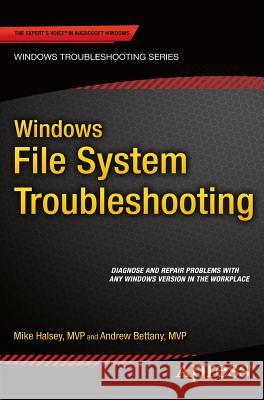
Windows File System Troubleshooting Mike Halsey 9781484210178 Springer - książkaWidoczna okładka, to zdjęcie poglądowe, a rzeczywista szata graficzna może różnić się od prezentowanej.

Windows File System Troubleshooting

ISBN-13: 9781484210178 / Angielski / Miękka / 2015 / 151 str.

Mike Halsey
cena 126,78 zł
(netto: 120,74 VAT:  5%)

Najniższa cena z 30 dni: 126,08 zł
Termin realizacji zamówienia:
ok. 16-18 dni roboczych
Bez gwarancji dostawy przed świętami

Darmowa dostawa!

The Windows file system is large and complex, featuring not only a huge number of essential files and folders for the Windows OS, your software and hardware, but also several different underlying file systems that manage and maintain file integrity on your disks. In this book you'll learn how to navigate around the Windows file structure (up to Windows 8.1), with what does what and how essential everything is. Additionally we'll show you how to effectively manage file, folder and security permissions to ensure users get what the access they need, and no more. We'll also show you how to repair the underlying disk file system should something go horribly wrong.


Kategorie:
Informatyka, Bazy danych
Kategorie BISAC:
Computers > Operating Systems - Windows Desktop
Computers > Programming - Microsoft
Wydawca:
Springer
Język:
Angielski
ISBN-13:
9781484210178
Rok wydania:
2015
Ilość stron:
151
Waga:
0.28 kg
Wymiary:
23.4 x 15.8 x 1.1
Oprawa:
Miękka
Wolumenów:
01
Dodatkowe informacje:
Wydanie ilustrowane

Chapter 1: Introducing the Windows File System

Chapter Goal: A deep dive into the structure of Microsoft Windows and how it manages and arranges OS, update and software files and hardware drivers

  1. The Windows File Structure
  2. Critical Windows System Files and Folders
  3. Managing software and apps
  4. Windows hardware driver files and management
  5. Managing updates in Windows
Chapter 2: Understanding NTFS, FAT and ReFS File Systems

Chapter Goal: The main Windows disk file systems and structures detailed

  1. Introducing the Windows disk file systems
  2. NTFS
  3. FAT (FAT32 / exFAT)
  4. ReFS
Chapter 3: Permissions, Ownership and Auditing

Chapter Goal: A common issue with Windows is managing correct file permissions and ownership, this chapter is a complete guide in managing these effectively

  1. Managing file, folder and disk permissions
  2. Managing file and folder ownership
  3. Successfully auditing Windows files, folders and assets

Chapter 4: Managing File Security

Chapter Goal: Security is essential with PCs in the workplace and at home. This chapter will teach the reader how to effectively secure their Windows OS, software and files

  1. Managing Windows, file, folder and disk security
  2. Managing security for documents and both disk and network assets
  3. Maintaining security best-practice in Windows

Chapter 5: Managing and Troubleshooting Encryption and Compression

Chapter Goal: This chapter will teach the reader how to effectively manage and deploy security and compression on their files, folders and disks

  1. Using and managing Windows file compression
  2. Using and managing EFS in Windows
  3. Using and Managing Bitlocker and Bitlocker To Go
Chapter 6: Troubleshooting the Windows File System

Chapter Goal: The disk file system in Windows is also prone to errors, this chapter will get readers started in diagnosing and troubleshooting errors.

  1. How disk file system errors occur
  2. Common disk file system errors
  3. Diagnosing and repairing common disk file system errors
Chapter 7: Booting the unbootable – Repairing the Windows Boot System

Chapter Goal: If a PC won’t start it’s likely that the boot system will need to be repaired. This chapter is a complete guide on how to automatically and manually fix this in Windows

  1. Automatically repairing the Windows boot system
  2. Effecting manual repair to the Windows boot system
  3. Rebuilding a corrupt Windows boot system
Chapter 8: Restoring Files and Folder Security Settings

Chapter Goal: Sometimes it all goes horribly wrong and users can be locked out of just about everything. This chapter will teach readers how to manually reset the file and folder permissions on all files and documents in a safe and secure way.

  1. When might you need to universally reset permissions?
  2. Using ICACLS to reset file permissions and ownership
Chapter 9: Repairing the Windows File System using a Portable OS

Chapter Goal: If Windows is unbootable or the file system corrupt, a portable OS on USB Flash Drive or DVD can still be used to rescue the OS and your files

  1. Linux, an operating system on a disk
  2. Creating a bootable USB Windows installation
  3. Repairing and rescuing documents using a portable OS
  4. Manually repairing the Windows file system using a portable OS
  5. Manually repairing the Windows boot system using a portable OS

Andrew Bettany is a Microsoft Most Valuable Professional (MVP), recognized for his Windows expertise, and a member of the Microsoft Springboard Technical Expert Panel.As leader of the IT Academy at the University of York, UK and Microsoft Certified Trainer, Andrew delivers learning and consultancy to businesses on a number of technical areas including Windows deployment and troubleshooting. He has created and manages the "IT Masterclasses" series of short intensive technical courses, www.itmasterclasses.com, run through his own training company Deliver IT Training Ltd.Passionate about learning and helping others he frequently donates his time to work with Microsoft. He is a frequent speaker and proctor at TechEd conferences worldwide. In 2011 he delivered a "train the trainer" class in earthquake-hit Haiti to help the community rebuild their technology skills and returned again in November 2013 to deliver a second bootcamp.Very active on social media, Andrew can be found on LinkedIn Facebook and Twitter. He lives in a village just outside of the beautiful city of York in Yorkshire (UK).


Udostępnij

Facebook - konto krainaksiazek.pl


Opinie o Krainaksiazek.pl na Opineo.pl

Partner Mybenefit

Krainaksiazek.pl w programie rzetelna firma Krainaksiaze.pl - płatności przez paypal

Czytaj nas na:

Facebook - krainaksiazek.pl
  • książki na zamówienie
  • granty
  • książka na prezent
  • kontakt
  • pomoc
  • opinie
  • regulamin
  • polityka prywatności

Zobacz:

  • Księgarnia czeska

  • Wydawnictwo Książkowe Klimaty

1997-2025 DolnySlask.com Agencja Internetowa

© 1997-2022 krainaksiazek.pl
     
KONTAKT | REGULAMIN | POLITYKA PRYWATNOŚCI | USTAWIENIA PRYWATNOŚCI
Zobacz: Księgarnia Czeska | Wydawnictwo Książkowe Klimaty | Mapa strony | Lista autorów
KrainaKsiazek.PL - Księgarnia Internetowa

Polityka prywatnosci - link
Krainaksiazek.pl - płatnośc Przelewy24
Przechowalnia Przechowalnia






