• Wyszukiwanie zaawansowane
  • Kategorie
  • Kategorie BISAC
  • Książki na zamówienie
  • Promocje
  • Granty
  • Książka na prezent
  • Opinie
  • Pomoc
  • Załóż konto
  • Zaloguj się

Autodesk 3ds Max 2016 Essentials » książka


zaloguj się | załóż konto
Logo Krainaksiazek.pl

koszyk

konto

szukaj
topmenu
Księgarnia internetowa
Szukaj
Książki na zamówienie
Promocje
Granty
Książka na prezent
Moje konto
Pomoc
 
 
Wyszukiwanie zaawansowane
Pusty koszyk
Bezpłatna dostawa dla zamówień powyżej 20 złBezpłatna dostawa dla zamówień powyżej 20 zł

Kategorie główne

• Nauka
 [2946600]
• Literatura piękna
 [1856966]

  więcej...
• Turystyka
 [72221]
• Informatyka
 [151456]
• Komiksy
 [35826]
• Encyklopedie
 [23190]
• Dziecięca
 [619653]
• Hobby
 [140543]
• AudioBooki
 [1577]
• Literatura faktu
 [228355]
• Muzyka CD
 [410]
• Słowniki
 [2874]
• Inne
 [445822]
• Kalendarze
 [1744]
• Podręczniki
 [167141]
• Poradniki
 [482898]
• Religia
 [510455]
• Czasopisma
 [526]
• Sport
 [61590]
• Sztuka
 [243598]
• CD, DVD, Video
 [3423]
• Technologie
 [219201]
• Zdrowie
 [101638]
• Książkowe Klimaty
 [124]
• Zabawki
 [2473]
• Puzzle, gry
 [3898]
• Literatura w języku ukraińskim
 [254]
• Art. papiernicze i szkolne
 [8170]
Kategorie szczegółowe BISAC

Autodesk 3ds Max 2016 Essentials

ISBN-13: 9781119059769 / Angielski / Miękka / 2015 / 448 str.
Derakhshani, Dariush
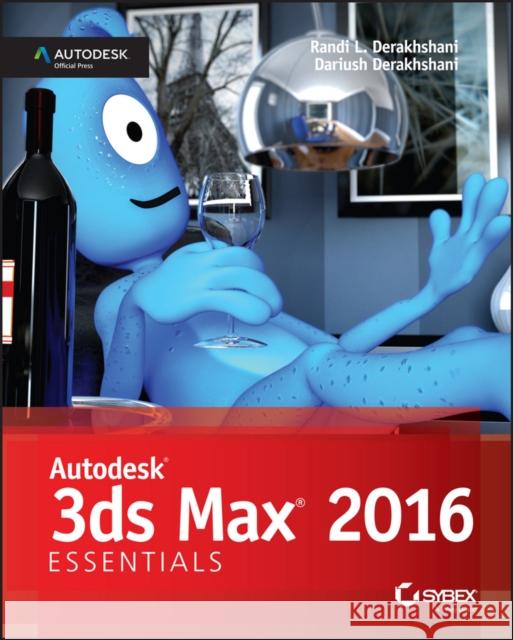
Autodesk 3ds Max 2016 Essentials Derakhshani, Dariush 9781119059769 John Wiley & Sons - książkaWidoczna okładka, to zdjęcie poglądowe, a rzeczywista szata graficzna może różnić się od prezentowanej.

Autodesk 3ds Max 2016 Essentials

ISBN-13: 9781119059769 / Angielski / Miękka / 2015 / 448 str.

Derakhshani, Dariush
cena 190,19 zł
(netto: 181,13 VAT:  5%)

Najniższa cena z 30 dni: 188,24 zł
Termin realizacji zamówienia:
ok. 30 dni roboczych
Bez gwarancji dostawy przed świętami

Darmowa dostawa!

Start animating right away with this tutorial-based guide to Autodesk 3ds Max 2016 Autodesk 3ds Max 2016 Essentials is your perfect hands-on guide to start animating quickly. Using approachable, real-world exercises, you'll master the fundamentals of this leading animation software by following full-color screen shots step by step. Each chapter opens with a quick discussion of concepts and learning objectives, and then launches into hands-on tutorials that give you firsthand experience and a good start on preparing for the 3ds Max certification exam. You'll learn the basics of modeling, texturing, animating, and visual effects as you create a retro-style alarm clock, animate a thrown knife, model a chair, and more. Whether you're a complete beginner or migrating from another 3D application, this task-based book provides the solid grounding you need in Autodesk 3ds Max 2016.

  • Model your character with polygons, meshes, and more
  • Add motion with simple and complex animations
  • Add color and textures to visualize materials and surfaces
  • Render interior scenes with great lighting and camera placement
If you want to learn 3ds Max quickly and painlessly, Autodesk 3ds Max 2016 Essentials helps you start animating today.

Start animating right away with this tutorial–based guide to Autodesk 3ds Max Autodesk 3ds Max Essentials is your perfect hands–on guide to start animating quickly. Using approachable, real–world exercises, you′ll master the fundamentals of this leading animation software by following full–color screen shots step by step.


Kategorie:
Inne
Kategorie BISAC:
Computers > Image Processing
Wydawca:
John Wiley & Sons
Język:
Angielski
ISBN-13:
9781119059769
Rok wydania:
2015
Ilość stron:
448
Waga:
1.01 kg
Wymiary:
23.11 x 18.54 x 2.54
Oprawa:
Miękka
Wolumenów:
01

Introduction xxi

Chapter 1 The 3ds Max Interface 1

Navigating the Workspace 1

User–Interface Elements 1

Viewports 4

ViewCube 6

Mouse Buttons 6

Quad Menus 7

Displaying Objects in a Viewport 8

Viewport Navigation 10

Transforming Objects Using Gizmos 11

Graphite Modeling Tools Set 13

Command Panel 14

Object Parameters and Values 14

Modifier Stack 15

Objects and Sub–Objects 15

Time Slider and Track Bar 16

File Management 16

Setting a Project 16

Version Up! 18

Now You Know 18

Chapter 2 Your First 3ds Max Project 19

Setting Up a Project Workflow 19

Exercise 2.1: Setting Up a Project 20

The Secret to Accurate Modeling: Reference Material! 20

Exercise 2.2: Setting Up the Modeling Reference 21

Building a Simple Model 24

Exercise 2.3: Starting with a Primitive 24

Exercise 2.4: Modeling in Sub–Object Mode 25

Exercise 2.5: Bringing on the Bevel 29

Exercise 2.6: Chamfering Time 32

Creating Details Using Splines 38

Exercise 2.7: Building the Handle 38

Lathing, Extruding, and Beveling to Create 3D from 2D 45

Exercise 2.8: Lathing to Make a Whole 45

Exercise 2.9: Creating the Clock Numbers and Hands 48

Bringing It All Together 54

Exercise 2.10: Using Merge 54

Now You Know 56

Chapter 3 Modeling in 3ds Max: Architectural Model Part I 57

Setting Up the Scene 58

Exercise 3.1: Setting Up Units 58

Exercise 3.2: Importing a CAD Drawing 59

Building the Room 63

Exercise 3.3: Creating the Walls 63

Exercise 3.4: Creating the Doors 66

Exercise 3.5: Creating the Window 69

Exercise 3.6: Adding a Floor and a Ceiling 71

Adding Special Details to the Room 74

Exercise 3.7: Creating Baseboard Moldings 75

Now You Know 82

Chapter 4 Modeling in 3ds Max: Architectural Model Part II 83

Modeling the Couch 83

Exercise 4.1: Blocking Out the Couch Model 84

Exercise 4.2: Using NURMS to Add Softness 86

Exercise 4.3: Building Detail on the Couch Model 89

Exercise 4.4: Creating the Chaise Lounge 92

Exercise 4.5: Modeling the Couch Feet 95

Modeling the Lounge Chair 97

Exercise 4.6: Creating Image Planes 98

Exercise 4.7: Adding the Images 99

Exercise 4.8: Building the Splines for the Chair Frame 100

Exercise 4.9: Building the Chair Cushion 106

Exercise 4.10: Creating the Chair s Base 108

Bringing It All Together 113

Now You Know 115

Chapter 5 Introduction to Animation 117

Animating the Ball 118

Exercise 5.1: Setting Keyframes 118

Exercise 5.2: Copying Keyframes 120

Exercise 5.3: Using the Track View – Curve Editor 121

Reading Animation Curves 124

Refining the Animation 126

Exercise 5.4: Editing Animation Curves 127

Exercise 5.5: Squash and Stretch 129

Exercise 5.6: Setting the Timing 131

Exercise 5.7: Moving the Ball Forward 132

Exercise 5.8: Using the XForm Modifier 135

Exercise 5.9: Animating the XForm Modifier 136

Exercise 5.10: Correcting the Rotation 137

Now You Know 138

Chapter 6 Animation Principles 139

Anticipation and Momentum in Knife Throwing 139

Exercise 6.1: Blocking Out the Animation 139

Exercise 6.2: Working with Trajectories 142

Exercise 6.3: Adding Rotation 144

Exercise 6.4: Adding Anticipation 146

Exercise 6.5: Following Through 148

Exercise 6.6: Transferring Momentum to the Target 149

Now You Know 152

Chapter 7 Character Modeling Part I 153

Setting Up the Scene 153

Exercise 7.1: Creating the Image Planes 154

Exercise 7.2: Adding the Images to the Planes 155

Blocking Out the Alien Model 156

Exercise 7.3: Forming the Torso 157

Exercise 7.4: Creating Symmetry 161

Exercise 7.5: Blocking Out the Arms 162

Exercise 7.6: Blocking Out the Leg 167

Exercise 7.7: Refining the Body 172

Exercise 7.8: Building the Neck 179

Now You Know 184

Chapter 8 Character Modeling Part II 185

Creating the Alien Head 185

Exercise 8.1: Blocking Out the Head 185

Exercise 8.2: Building the Nose and Eye 188

Building the Alien Hand 194

Exercise 8.3: Building the Palm of the Hand 194

Exercise 8.4: Beveling the Fingers 196

Building the Foot 203

Exercise 8.5: Blocking Out the Foot 203

Exercise 8.6: Beveling the Toes 205

Completing the Alien 208

Exercise 8.7: Attaching to the Body 208

Exercise 8.8: Using Symmetry 214

Exercise 8.9: Finishing the Head 215

Now You Know 220

Chapter 9 Introduction to Materials 221

Navigating the Slate Material Editor 221

Identifying the Standard Material 223

Standard Materials 223

Identifying the mental ray Material 224

Identifying Shaders 224

Building Materials for the Couch 225

Exercise 9.1: Creating a Standard Material 225

Exercise 9.2: Applying the Material to the Couch 226

Exercise 9.3: Adding a Bitmap 228

Exercise 9.4: Mapping Coordinates 230

Exercise 9.5: Adding Materials to the Feet 232

Exercise 9.6: Applying a Bump Map 234

Building Materials for the Lounge Chair 236

Exercise 9.7: Creating a Leather Material for the Chair Cushion 236

Exercise 9.8: Creating a Reflective Material 238

Building Materials for the Window 241

Exercise 9.9: Creating a Multi/Sub–Object Material 242

Now You Know 247

Chapter 10 Textures and UV Workflow: The Alien 249

Defining UVs on the Alien s Body 250

Exercise 10.1: Seaming the Alien s Body 250

Unwrapping UVs on the Alien s Body 256

Exercise 10.2: Unwrapping the Alien s Arm 257

Exercise 10.3: Unwrapping the Alien s Body 261

Exercise 10.4: Arranging the Alien s UVs 263

Building and Applying Material to the Alien 266

Exercise 10.5: Applying the Color Map 266

Exercise 10.6: Applying the Bump Map 267

Exercise 10.7: Applying the Specular Map 269

Now You Know 271

Chapter 11 Character Studio: Rigging 273

Character Studio Workflow 273

General Workflow 274

Associating a Biped with the Alien Model 276

Exercise 11.1: Creating and Modifying the Biped 276

Exercise 11.2: Adjusting the Torso and Arms 283

Exercise 11.3: Adjusting the Neck and Head 285

Skinning the Alien Model 287

Exercise 11.4: Applying the Skin Modifier 288

Exercise 11.5: Testing the Model 288

Exercise 11.6: Tweaking the Skin Modifier 290

Exercise 11.7: Testing the Alien Model Rig 294

Exercise 11.8: Controlling the View 296

Now You Know 298

Chapter 12 Character Studio: Animation 299

Animating the Alien 299

Exercise 12.1: Adding a Run–and–Jump Sequence 300

Freeform Animation 302

Exercise 12.2: Moving the Head 302

Exercise 12.3: Moving the Arms 305

Exercise 12.4: Completing the Motion Sequence 307

Modifying Animation in the Dope Sheet 308

Exercise 12.5: Adding Footsteps Manually 308

Exercise 10.6: Using the Dope Sheet 309

Now You Know 314

Chapter 13 Introduction to Lighting: Interior Lighting 315

Recognizing 3ds Max Lights 315

Standard Lights 316

Target Spotlight 316

Target Direct Light 318

Free Spot or Free Direct Light 319

Omni Light 320

Lighting a Still Life 321

Exercise 13.1: Setting Up the Basic Lights for the Scene 322

Exercise 13.2: Adding Shadows 325

Exercise 13.3: Adding a Fill Light 326

Exercise 13.4: Setting Up the Fill Light Attenuation 328

Selecting a Shadow Type 330

Atmospherics and Effects 332

Exercise 13.5: Creating a Volume Light 332

Volume Light Parameters 337

The Light Lister 338

Now You Know 339

Chapter 14 3ds Max Rendering 341

Navigating the Render Setup Dialog 341

Common Tab 342

Choosing a Filename 343

Rendered Frame Window 344

Render Processing 344

Assign Renderer 345

Rendering a Scene 346

Exercise 14.1: Rendering the Bouncing Ball 346

Working with Cameras 348

Exercise 14.2: Creating a Camera 350

Exercise 14.3: Animating a Camera 352

Exercise 14.4: Clarifying Safe Frames 354

Raytraced Reflections and Refractions 356

Exercise 14.5: Creating Reflections with Raytrace Material 357

Exercise 14.6: Raytrace Mapping 359

Exercise 14.7: Using the Raytrace Material to Create Refractions 360

Exercise 14.8: Using Raytrace Mapping to Create Refractions 363

Rendering the Interior and Furniture 365

Exercise 14.9: Adding Raytraced Reflections 365

Exercise 14.10: Outputting the Render 367

Now You Know 368

Chapter 15 mental ray 369

Navigating the mental ray Renderer 369

Exercise 15.1: Enabling the mental ray Renderer 369

mental ray Sampling Quality 370

Navigating the Final Gather Parameters 372

Basic Group 373

Advanced Group 374

The mental ray Rendered Frame Window 375

Navigating mental ray Materials 376

Exercise 15.2: Setting Up the Material Editor 376

Exercise 15.3: Using Arch & Design Material Templates 377

Exercise 15.4: Creating Arch & Design Materials 381

Exercise 15.5: Using the Multi/Sub–Object Material and Arch & Design 383

Using Photometric Lights with mental ray 385

Exercise 15.6: Using Photometric Lights in mental ray Renderings 385

Using the Daylight System 391

Exercise 15.7: Using the Daylight System in mental ray Renderings 391

Now You Know 396

Appendix Autodesk 3ds Max Certification 397

Index 401

About the Authors

Randi L. Derakhshani teaches 3D and visual effects at The Art Institute of California and has worked as a digital artist and technical director for fames and movie projects with Gizmo Games, RJB Enterprises, and Sony. Dariush Derakhshani is an award–winning visual effects supervisor, author, and educator. His movie and TV credits include The Fantastic Four, Pan′s Labyrinth, and the South Park TV series, as well as numerous commercials and music videos. Dariush has written all of Sybex′s Introducing Maya books. He teaches 3D animation and is the author of Sybex′s Introducing Maya book. Randi and Dariush are both Autodesk Certified Instructors.

Learn Autodesk 3ds Max 2016 Quickly and Easily

Master the fundamentals of Autodesk 3ds Max 2016 and start using it right away with this Autodesk Official Press guide. Each chapter begins with concepts and learning objectives, then moves into easy–to–follow tutorials supported by full–color screenshots and real–world exercises. You will create actual animations as you learn a retro–style alarm clock, a thrown knife, and more while you conquer the techniques of modeling, rigging, animating, rendering, and architectural visualization. When you′re finished, you′ll also have a head start on preparing for the Autodesk 3ds Max Certified Professional exam.

Learn these Autodesk 3ds Max essentials and more:

  • Modeling characters with polygons and meshes
  • Animating both simple and complex objects
  • Creating rooms, doors, and windows using CAD files
  • Adding color and glow to an object
  • Giving texture to a surface
  • Applying lighting and texturing to enhance interior scenes
  • Skinning a model to a biped figure and adding motion
  • Working with mental ray and HDRI

This striking Essentials book features:

  • Chapter–opening learning objectives
  • Step–by–step tutorials
  • Four–color screenshots and illustrations
  • Essentials and Beyond summaries and additional suggested exercises
  • Downloadable exercise files


Udostępnij

Facebook - konto krainaksiazek.pl


Opinie o Krainaksiazek.pl na Opineo.pl

Partner Mybenefit

Krainaksiazek.pl w programie rzetelna firma Krainaksiaze.pl - płatności przez paypal

Czytaj nas na:

Facebook - krainaksiazek.pl
  • książki na zamówienie
  • granty
  • książka na prezent
  • kontakt
  • pomoc
  • opinie
  • regulamin
  • polityka prywatności

Zobacz:

  • Księgarnia czeska

  • Wydawnictwo Książkowe Klimaty

1997-2025 DolnySlask.com Agencja Internetowa

© 1997-2022 krainaksiazek.pl
     
KONTAKT | REGULAMIN | POLITYKA PRYWATNOŚCI | USTAWIENIA PRYWATNOŚCI
Zobacz: Księgarnia Czeska | Wydawnictwo Książkowe Klimaty | Mapa strony | Lista autorów
KrainaKsiazek.PL - Księgarnia Internetowa

Polityka prywatnosci - link
Krainaksiazek.pl - płatnośc Przelewy24
Przechowalnia Przechowalnia





