OS X El Capitan » książka





OS X El Capitan
ISBN-13: 9781515244745 / Angielski / Miękka / 2015 / 206 str.
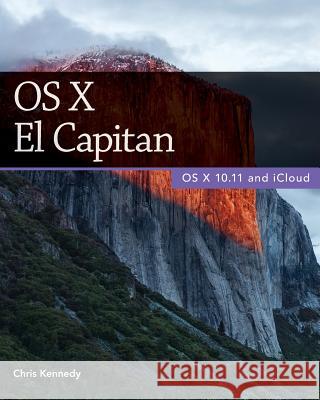
(The updated edition of this book for macOS Sierra is also available.) Perfect for new and longtime Mac users, this no-fluff guide to OS X El Capitan is packed with details on system preferences, the desktop, Finder, applications, and utilities. You'll also find step-by-step instructions for printing, scanning, networking, sharing, troubleshooting, and going online. A Windows glossary makes switching to Mac (mostly) painless, and keyboard mavens will find a complete list of keyboard shortcuts. New features covered include Split View, Photos, Force click, natural-language queries, the new system font, System Integrity Protection, pointer magnification, two-factor authentication, and updates to Mission Control, Spotlight, Mail, Notes, Safari, Maps, Calendar, Disk Utility, and Finder.
- See live previews of documents, pictures, and folders.
- Use Mission Control to juggle all your open windows, desktops, and displays.
- Dock programs, documents, and folders for one-click access.
- Tag your files to make them easy to sort and find.
- Use Finder tabs to declutter your desktop.
- See all your notifications in one place.
- Spread your work over multiple displays.
- Enhance and customize OS X with extensions.
- Use iCloud to store and access the latest versions of your files and settings online.
- Share iTunes, iBooks, and App Store purchases freely with your family.
- Organize, view, edit, sync, and share your photos.
- Sync your files, mail, contacts, appointments, reminders, notes, and messages wirelessly across your Mac, Windows PC, and iOS devices.
- Get instant search results for documents, pictures, music, mail, programs, online sources, and more.
- Dictate anywhere that you can type.
- Play games on Game Center, Apple's online multiplayer social gaming network.
- Post to Facebook and Twitter right from the app you're using.
- Mirror your Mac's screen to your HDTV wirelessly via AirPlay, or use your HDTV as a full-fledged display, complete with dock and menu bar.
- Share files and printers on your home network.
- Move seamlessly between your Mac, iPhone, iPad, and iPod touch, or use them together.
- Connect to wireless networks with a couple of clicks.
- Set up and manage printers, scanners, and other devices.
- Download and install OS X, apps, and updates from the Mac App Store.
- Secure your data from thieves and snoops.
- Plenty of tips, tricks, and timesavers.
- Fully cross-referenced and indexed.
1. OS X Basics
2. The Desktop
3. System Preferences
4. Files, Folders & Drives
5. Programs & Documents
6. Printing, Faxing & Fonts
7. Networks & Sharing
8. Online Connections
9. Security & Privacy
10. Maintenance & Backups
11. Switching from Windows
12. Keyboard Shortcuts About the Author
Chris Kennedy is a technical writer based in Boulder, Colorado. When he's not typing, Chris climbs rocks, revises his screenplays, and reads the journals of polar explorers. He's been writing about OS X since Snow Leopard.
Zawartość książki może nie spełniać oczekiwań – reklamacje nie obejmują treści, która mogła nie być redakcyjnie ani merytorycznie opracowana.




Czytaj nas na:
KrainaKsiazek.PL - Księgarnia Internetowa


